
10 AI Lyric Generator Free Tools Worth Trying
The most popular advice about an AI lyric generator free tool is also the least useful: “Pick the one that makes a complete song.” A full song demo can be exciting, but it may be the wrong choice if you only need a sharper hook, cleaner rhymes, a battle verse, or a second draft of lyrics you already wrote.
Free tools fall into different jobs. Some are text-only idea machines, some specialize in rap bars, some help you edit line by line, and others generate vocals, beats, and arrangements along with the words. This list compares them by what they help you finish, including setup friction, controls, output quality, credits, commercial rights, privacy, and the point where a free workflow starts to feel restrictive.
The category is expanding quickly. One market estimate projects the AI music generation market to grow from USD 224.0 million in 2025 to USD 3,961.1 million by 2034, with a projected 37.6% CAGR, while North America represents 42.0% of 2025 revenue in that estimate (AI music generation market outlook). That growth brings more options, but it also makes tool selection more important. If you're turning a finished song into visuals, an AI lyric video guide can help with the next production step.
1. DissTrack AI
DissTrack AI is the most specialized option here. It isn't trying to be a general songwriting assistant. It turns a target, relationship context, inside jokes, and selected style into structured roast lyrics for battle rap, social clips, party performances, and creator content.
The workflow is fast. Enter the person or character you're addressing, add the usable ammunition, choose a direction such as West Coast, Old School Boom Bap, Trap, Battle Rap, Drill, Emo Rap, or UK Grime, then adjust the savagery. The output is designed around punchlines, rhyme schemes, wordplay, flow, and verse structure, so it has a clearer purpose than a generic prompt asking for “funny rap lyrics.”
Best use: Get several targeted diss-track drafts quickly, then keep the strongest bars and rewrite them in your own voice.
The free forever tier includes one diss, while Pro is listed at $9.99 per month for 15 diss tracks and Creator at $29.99 per month for 100. The product also states that users own what the system creates and can use it commercially, with privacy emphasized unless a generation is published. Check the current terms before releasing anything, especially if a real person, recognizable event, or potentially defamatory claim appears in the lyrics.
One important caveat is the audio messaging. Some product pages present AI vocals, beats, or mixed audio demos, while the FAQ says “no audio generation (yet)”. If you need a finished audio file rather than editable words, verify the current export and vocal capabilities before paying.
For a practical guide to using a songwriting workflow around targeted verses, see DissTrack AI's songwriting app guide. The tool's strength is focus, not universal songwriting. Use it for high-impact roast lyrics, not for a delicate folk ballad or a carefully plotted concept album, and keep legal and ethical boundaries in mind when targeting real people.
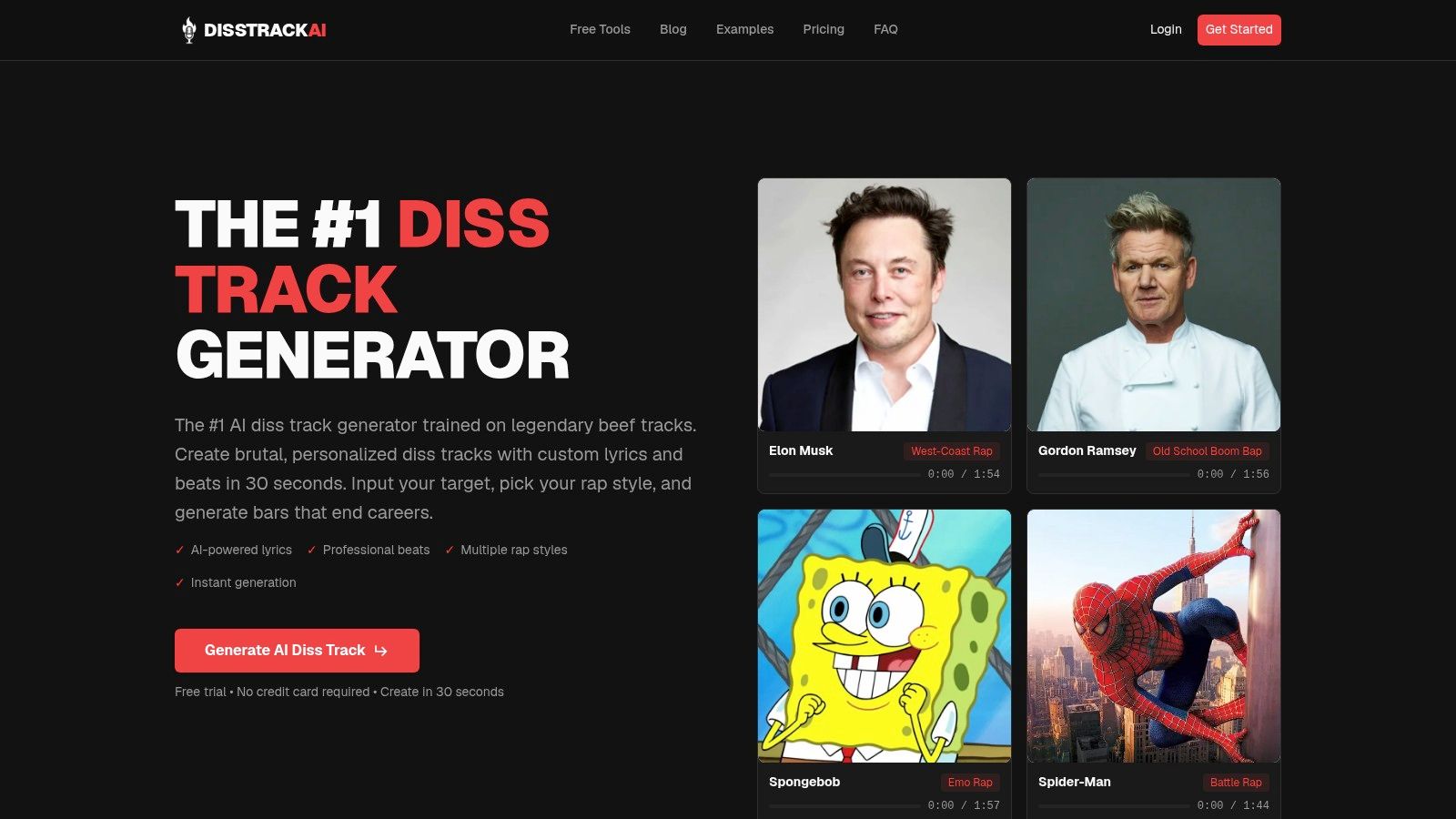 DissTrack AI
2. Suno
Suno is for the moment when lyrics need to become a listenable song. You can ask it to write lyrics from a prompt or paste your own words, then guide the result with genre and style instructions. It generates vocals and backing music, which makes it much more useful for hearing whether a chorus has momentum than a text-only generator.
That speed is the main attraction. A rough idea can become a complete demo without moving between a lyric editor, beat library, vocal tool, and basic arrangement software. The in-app Studio also gives you a place to edit and arrange generated material rather than treating every generation as a final, untouchable file.
Where Suno saves time
Suno works well for testing a hook, comparing broad genre directions, and finding out whether a lyric concept survives contact with melody and vocal phrasing. It can also expose problems that look invisible on the page, such as awkward syllable stress or a chorus that doesn't repeat naturally.
The trade-off is control. If one line is weak, you may have less detailed verse-level control than you'd get from a dedicated writing tool. Free use also depends on credits and download entitlements, so the most useful workflow is to refine the idea in text first and spend generations on promising versions.
Suno is a strong choice for writers who judge lyrics by sound, not just by appearance on the screen. Before publishing, check the plan-specific rights attached to the current generation and download options. For a broader explanation of moving from words to a finished track, this text-to-music workflow is a useful companion.
3. Udio
Udio occupies a similar space to Suno, but its appeal is the ability to work inside the song rather than accepting the first complete result. It can generate lyrics automatically, use lyrics you provide, and support lyric editing and regeneration of parts. That makes it a better fit when the audio is useful but a particular verse or phrase needs another attempt.
The platform uses credits and free access has daily limits, with longer generations consuming more of the available allowance. Its help documentation explains the credit system and restrictions, which is helpful when you're trying to plan a session rather than discovering the limit halfway through a project.
Best for lyric-led iteration
Udio is practical for writers who want to hear multiple arrangements while retaining some control over the underlying words. You can start with a rough prompt, identify the section that works, then revise the lyric direction instead of rewriting an entire song in a separate application.
It still isn't a replacement for a meticulous lyric editor. The free tier can restrict longer generations, and the full feature set requires a paid subscription. Output variation also means that a good prompt doesn't guarantee a good result every time.
Use Udio when vocals, melody, and arrangement are part of the decision. If you only need ten alternative punchlines, a lighter text tool will be faster and less wasteful. For rap-focused prompting ideas that can be adapted to Udio, see this free rap lyrics generator resource.
4. Uberduck
Uberduck is built around performance as much as writing. Its appeal comes from AI rap and singing vocals, voice options, and workflows that can combine user-written lyrics with generated delivery. If a lyric only becomes convincing once someone performs it, Uberduck is closer to the problem than a plain text generator.
It also has an API endpoint for programmatic rap-lyrics generation. That matters for developers building creator tools, internal experiments, or repeatable content workflows. Instead of manually opening a page for every draft, a team can explore an API-led process, subject to the current documentation and account requirements.
What it does better than a text-only generator
Uberduck is strongest when cadence and delivery are the next questions. A line that looks clever may sound crowded, flat, or difficult to perform. AI vocals can reveal those problems earlier, although generated delivery shouldn't be mistaken for a final human performance.
Free access is limited, and the strongest workflows often require a paid plan. The voice catalog and available options can change, and first-time users may need to learn how prompts, voices, and music features interact. Privacy and rights also deserve attention when using voice-related features, particularly for public-facing projects.
Choose Uberduck if the job is “write and perform a rap idea.” Choose RapPad or DeepBeat if the job is “help me construct better bars before I record.”
5. RapPad
RapPad feels less like a one-click song machine and more like a writer's workspace. It offers a line generator, rhyming dictionary, syllable counter, and thesaurus, then adds analysis through its Blueprint feature. That combination helps you write, inspect, and revise bars instead of merely accepting a finished block of text.
The technical feedback is the differentiator. Rhyme density, complexity, and structure give a writer something concrete to examine after the first draft. You can attach beats, use battle mode, and control sharing or privacy, which makes the platform useful for practice as well as public collaboration.
A generated line isn't finished because it rhymes. Read it aloud over the intended beat and ask whether the stress lands where the performance needs it.
RapPad doesn't automatically generate vocals or a full track. That limitation is also its strength. Writers who want to keep control of the voice, cadence, and meaning won't have to fight an audio generator's interpretation of the song.
The interface is more utilitarian than glossy AI music apps, and users looking for instant finished tracks may find it slower. For rap writers, though, the friction is productive. You can take a generic suggestion, adjust syllables, test a multi-syllabic rhyme, and learn why a verse feels dense or empty.
Use RapPad when your priority is writing and technical refinement. It isn't the right pick for a producer who needs a vocal demo in one click, but it may be the better tool for an artist who wants to improve the bars before recording them.
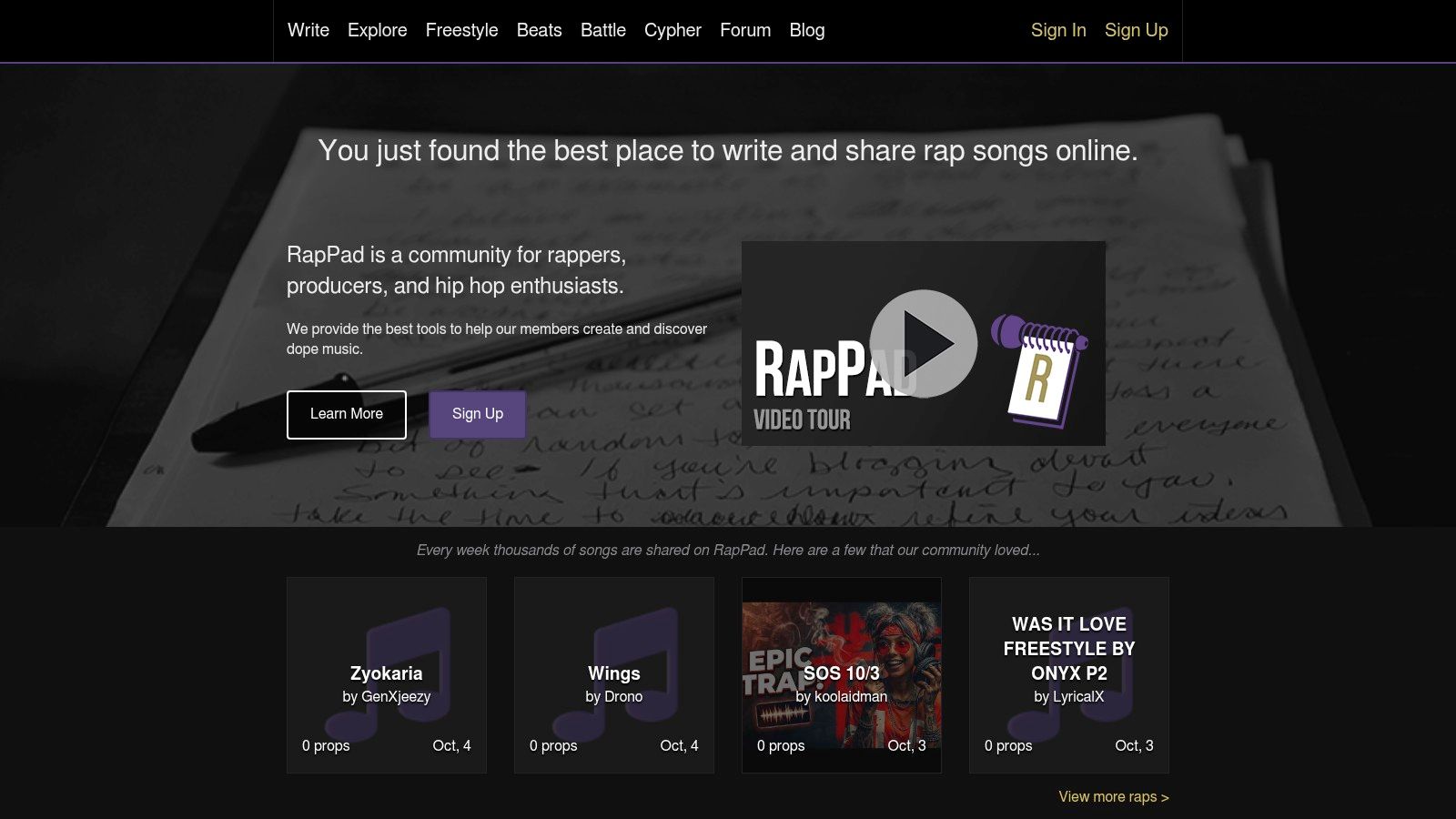 RapPad
6. DeepBeat
DeepBeat is the quick spark generator of this group. Its web interface is simple, it doesn't require a login or paywall, and it focuses on rap lyrics, line suggestions, and bar combinations. You can use it when the page is blank and you need a direction, a rhyme, or an unexpected phrase to react against.
Its research-born design gives it a different character from newer all-in-one music platforms. The system uses learned patterns from a rap corpus and supports line-by-line generation and mash-ups. That makes it useful for fragments, not necessarily for a complete song with a carefully controlled emotional arc.
Keep the editor switched on
DeepBeat's age shows in the output. Some suggestions can feel generic or dated, and it offers less control over current subgenres, vocal tone, or narrative detail than a newer platform. Treat the result as raw material, then replace predictable boasts, tighten the syllables, and add specific imagery from your own subject.
The lack of signup is valuable for low-stakes experimentation. You can test an idea without spending credits or building a project around a platform account. You also won't get vocals, beats, or a polished export, so the next step belongs in your own writing and recording workflow.
DeepBeat is a good first stop for a bar, not a final stop for a release. It earns its place because it removes friction, especially when you want a fast prompt response rather than a complete production environment.
7. These Lyrics Do Not Exist
These Lyrics Do Not Exist is designed to beat writer's block with almost no setup. Choose a topic and genre, generate a draft, and use the result to find a title, chorus idea, theme, or section worth rebuilding. It favors momentum over precision.
That simplicity makes it approachable for beginners and useful for writers who don't want to learn prompt syntax. The generator can produce full-song sections such as verses and choruses, but the limited controls mean the output may drift from the intended tone or become too literal.
Use it for direction, not ownership of the final draft
The best results come from treating the generated lyrics as a mood board. Circle an image, phrase, or emotional turn that feels alive, then write a new section around it. Copying a complete draft without substantial editing usually leaves you with a song that sounds broad rather than personal.
It isn't built specifically for battle rap or diss writing, and it doesn't offer integrated vocals or beats. That makes it less suitable for a performance-ready track than Suno or Udio, but it also keeps the experience lightweight.
Choose this tool when the job is “give me a starting point now.” Choose another tool when you need controlled revisions, technical rhyme feedback, or a finished audio sketch.
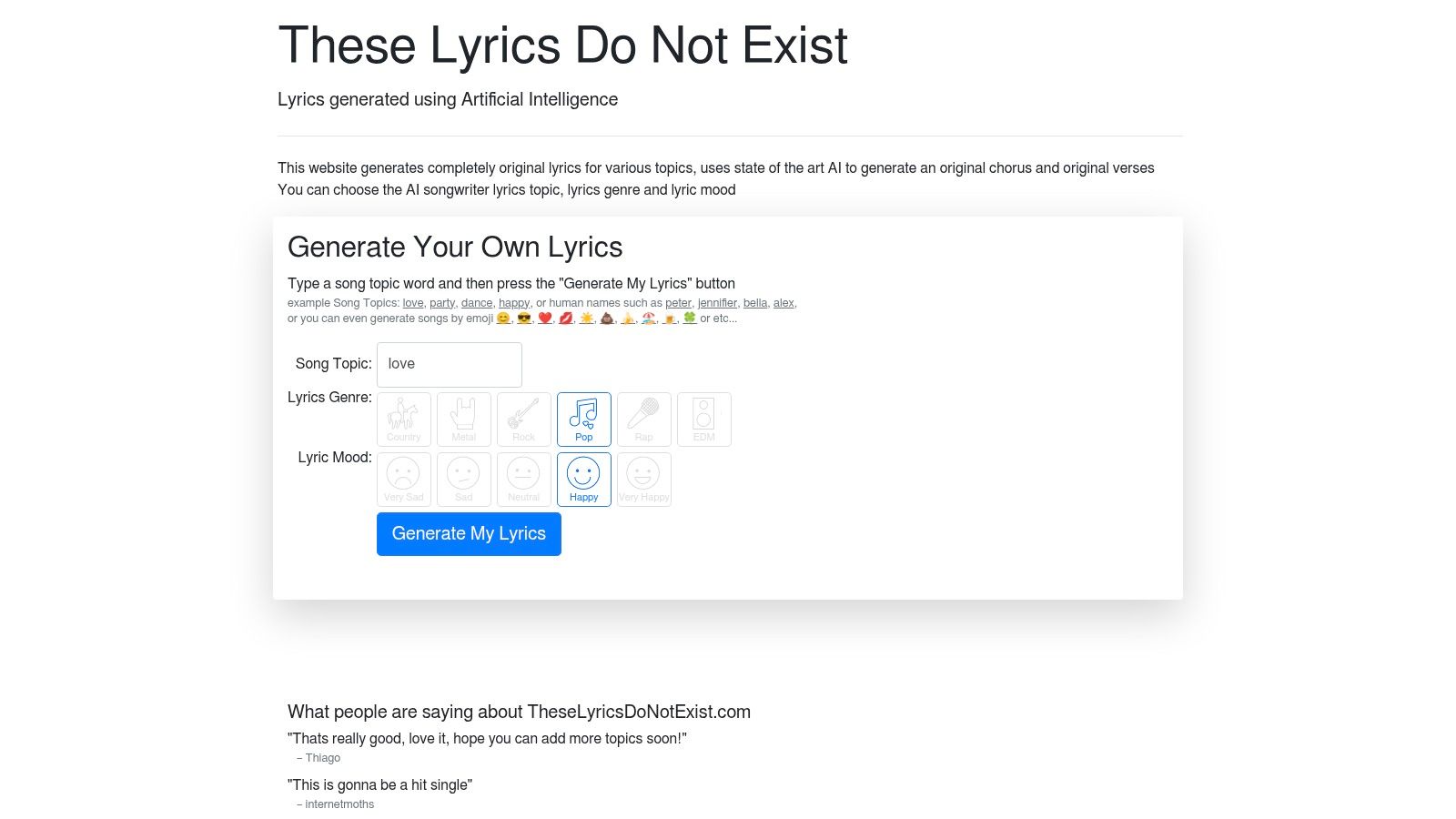 These Lyrics Do Not Exist
Visit These Lyrics Do Not Exist
8. BoredHumans AI Lyrics Generator
BoredHumans is the most stripped-back option in the list. You can generate lyrics without registering, which makes it convenient when you want instant text and don't want to create another account for a throwaway idea.
Its strength is speed, not control. Give it a prompt, get a draft, and decide whether any phrase deserves to survive. There are no integrated vocals or beats, so the tool won't tell you whether the lyric sings naturally or fits a particular cadence.
Why the lack of features can help
A no-login tool lowers the cost of experimentation. You can use it for alternate themes, rough parody concepts, or a handful of chorus directions before committing to a more structured workflow. The downside is inconsistent output and limited ability to guide rhyme density, song form, or narrative progression.
Don't ask BoredHumans to replace a co-writer. Ask it to interrupt a creative dead end. Strong writers will usually need to remove generic wording, sharpen the central image, and rebuild the rhythm manually.
It belongs in the frictionless brainstorming category alongside DeepBeat and Toolbaz. If your project requires commercial licensing clarity, private project management, or an audio export, read the terms of a more specialized platform before using the text publicly.
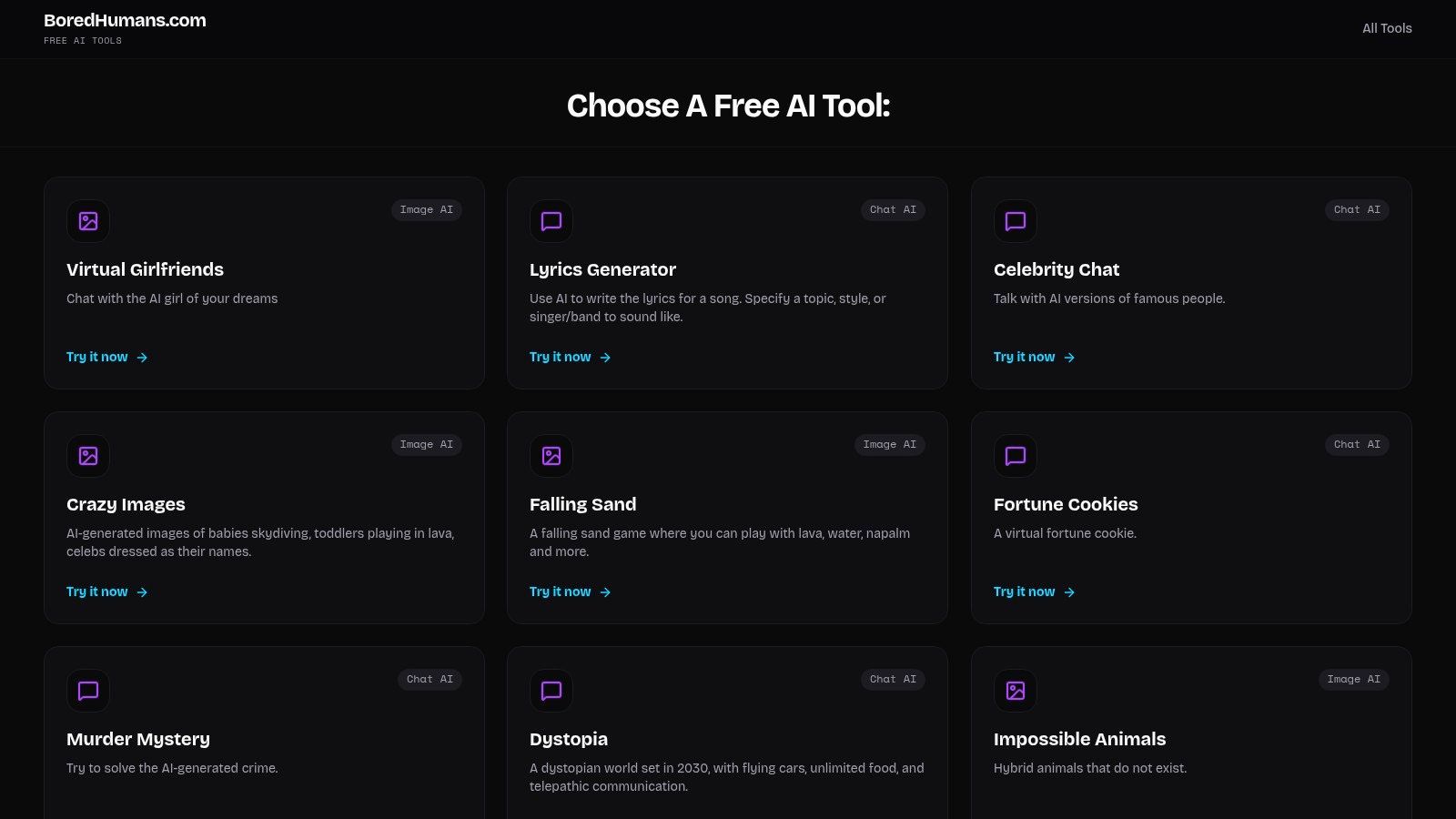 BoredHumans AI Lyrics Generator
9. Toolbaz AI Rap Lyrics Generator
Toolbaz gives rap writers a more direct prompt surface than a general lyric generator. It offers a dedicated rap mode as well as a broader song lyrics tool, with fields for topic, style, and keywords. That setup helps nudge the output toward bars instead of receiving a vague pop song whenever you ask for lyrics.
The advertised no-login, quick-use workflow is useful for iteration. Generate a direction, change the keywords, compare another version, and keep moving without spending time on account setup. The rap mode can also encourage denser rhyming and a stronger cadence than a generic song prompt.
The editing burden is real
Toolbaz is a draft machine, not a finished songwriting room. Quality varies, and originality usually depends on how aggressively you rewrite the output. Generic flexes, familiar metaphors, and loosely connected lines can appear unless the prompt gives the generator a concrete situation and a distinct point of view.
There are no integrated vocals or beat generation features, so you'll need to test the lyrics elsewhere. That isn't a dealbreaker if you're writing for your own delivery. It matters if you need a track that can immediately demonstrate melody, vocal tone, and arrangement.
Use Toolbaz for quick multi-variant drafting. If you want to inspect syllables and rhyme structure, RapPad offers a deeper writing loop. If you want a full audio demo, move to Suno, Udio, or Uberduck after the text has earned another stage.
10. WriteSong.AI
WriteSong.AI sits between a lyric drafting tool and a text-to-song platform. Its free plan is aimed at lyric creation for personal use, while paid tiers expand usage and commercial licensing. That distinction makes it useful for creators who want the rights question visible before they put a song into a client project or monetized channel.
The workflow is straightforward. Start in the AI Lyrics Generator, keep the process text-only if you're still shaping the idea, then explore text-to-song creation when you need a vocal draft. Paid tiers can expand the rights attached to generated work, so the plan you use matters as much as the quality of the words.
Where WriteSong.AI fits
This is a sensible pick when licensing isn't an afterthought. Many free tools are excellent at producing a first idea but leave users to investigate whether the output can be monetized, shared commercially, or reused in a client deliverable. WriteSong.AI presents a clearer separation between personal free use and commercial paid use.
The free plan has usage limits and isn't positioned for unrestricted commercial release. The ecosystem is also smaller than the largest AI music platforms, so you may find fewer production features and less community material around advanced workflows.
Use it for personal drafts, early demos, and projects where you want a visible path from free experimentation to licensed use. Before release, read the current plan terms, save the relevant account and generation details, and confirm that any pasted source lyrics belong to you or are licensed for reuse.
Top 10 Free AI Lyric Generators, Quick Comparison
| Product | Core features | Quality (★) | Price / Value (💰) | Target (👥) | Unique selling point (✨) |
|---|---|---|---|---|---|
| 🏆 DissTrack AI | Diss-focused lyric gen, style tags, savagery dial, multiple verse variants, privacy & commercial rights | ★★★★☆ | 💰 Free / Pro $9.99 / Creator $29.99, commercial use included | 👥 Rappers, creators, streamers, party hosts | ✨ Trained on iconic diss tracks; fast editable bars; purpose-built for roasts |
| Suno | Text→song with auto-lyrics, vocals, backing tracks, in-app Studio | ★★★★☆ | 💰 Credit/download limits; paid tiers for full access | 👥 Songwriters & producers seeking end-to-end song drafts | ✨ End-to-end lyrics→vocals; strong hooks and mixing |
| Udio | Song + lyric generation, lyric editor, credit-based limits | ★★★☆☆ | 💰 Free tier + subscriptions; daily caps on longer gens | 👥 Lyric refiners and casual creators | ✨ Clean in-app lyric refinement; clear credit docs |
| Uberduck | AI rap/sung vocals, API access, mix user lyrics with AI voices | ★★★★☆ | 💰 Limited free; best voices on paid plans | 👥 Developers & creators needing AI vocals | ✨ Rap-centric AI delivery + developer API |
| RapPad | Line generator, rhyme dictionary, syllable counter, blueprint analytics | ★★★★☆ | 💰 Free | 👥 Aspiring rappers, writers seeking feedback | ✨ Community critique + detailed rhyme/structure analytics |
| DeepBeat | Research-origin rap lyric generator, line-by-line suggestions | ★★★☆☆ | 💰 Free (no login) | 👥 Idea-spark writers & researchers | ✨ Academic-backed model for quick bar ideas |
| These Lyrics Do Not Exist | Topic/genre-based full-song drafts (verses/choruses) | ★★★☆☆ | 💰 Free | 👥 Songwriters seeking instant drafts | ✨ One-click full-song sections for fast inspiration |
| BoredHumans – AI Lyrics Generator | One-click lyric generation among AI experiments, no signup | ★★★☆☆ | 💰 Free | 👥 Casual brainstormers | ✨ Zero-friction, immediate lyric output |
| Toolbaz – AI Rap Lyrics Generator | Rap mode + general lyric tool, prompt fields, no-login use | ★★★☆☆ | 💰 Free / no account required | 👥 Rapid-iteration users | ✨ Dedicated rap mode for rhyme/cadence nudges |
| WriteSong.AI | Lyric generator + optional text-to-song, licensing guidance | ★★★★☆ | 💰 Free (non-commercial) + paid for commercial rights | 👥 Songwriters needing licensing clarity | ✨ Clear commercial licensing path and text→song workflow |
Choose the Workflow, Not Just the Tool
The best AI lyric generator free choice depends on what must exist at the end of the session. If you need a handful of directions with no setup, start with DeepBeat, BoredHumans, Toolbaz, or These Lyrics Do Not Exist. They can break a blank-page stall quickly, but they aren't substitutes for editing, performance testing, or rights review.
RapPad is the better choice when the work itself is writing. Its rhyme tools, syllable support, analysis, beat attachment, and community features help you improve bars rather than just accept a generated block of text. DeepBeat can provide raw sparks, while RapPad gives you a more useful place to interrogate those sparks.
Choose Suno, Udio, or Uberduck when vocals and music affect the decision. Suno is the quickest route from a prompt to a complete song draft. Udio is useful when you want to revise lyrics and regenerate sections within the music workflow. Uberduck is especially relevant when AI vocal delivery and rap performance are central, or when an API-based workflow matters.
WriteSong.AI makes the most sense when licensing distinctions are central to the project. Its free plan is oriented toward personal use, while paid plans provide a clearer route toward commercial rights. That doesn't remove the need to read current terms, but it makes the decision easier to frame.
DissTrack AI is the specialist choice for targeted, style-driven roast lyrics. It gives you controls that generic lyric tools don't prioritize, including target context, inside jokes, rap styles, and savagery. Its free tier is useful for testing the concept, while higher plans are designed for people who need more recurring generations. Verify the current audio messaging before treating it as a complete beat-and-vocal platform.
Quality still needs human judgment. The SongBench paper constructed 4,000 synthetic lyrics and 384 prompts to benchmark lyric models, while separate lyric-generation research evaluates outputs with perplexity, BERTScore, and human judgments (lyric-generation benchmark research). That mix reflects the typical workflow. Fluency alone isn't enough. A useful lyric also needs coherent meaning, a stable structure, a workable cadence, and a voice that doesn't sound interchangeable.
Practical workflow: Prompt broadly, select only the lines with a distinct image or useful turn, rewrite for originality and cadence, then test the words aloud over the intended beat.
Rights deserve the same attention as quality. Recent legal analysis distinguishes between purely AI-generated material and work that includes meaningful human authorship, while also warning that pasting copyrighted lyrics into a prompt can create infringement risk (analysis of authorship and AI-generated lyrics). Keep prompts free of lyrics you don't own, document your revisions, and don't assume that a free generation automatically carries commercial permission.
The category has plenty of supply, but supply isn't the same as a memorable song. One industry estimate projects AI-generated music output at 10,000 tracks per day in early 2025 and around 75,000 tracks per day by 2026, while citing research that 93% of AI-generated tracks receive minimal or near-zero plays (reporting on AI-generated music scale). The lesson for lyric writers is simple: use free tools to explore faster, then spend your real effort on specificity, editing, performance, and a reason for someone to listen twice.
Before publishing, check four things: the current free-tier limit, the plan's commercial rights, the platform's privacy treatment, and whether the output includes audio or text only. For teams evaluating broader creative automation, this overview of AI production use cases and ROI adds useful context beyond lyric generation.
DissTrack AI is built for personalized roast lyrics, with target details, inside jokes, style controls, multiple verse variations, and a free plan for testing the workflow. If you need sharper battle-ready bars instead of a generic song draft, visit DissTrack AI and turn your next idea into a targeted diss track.