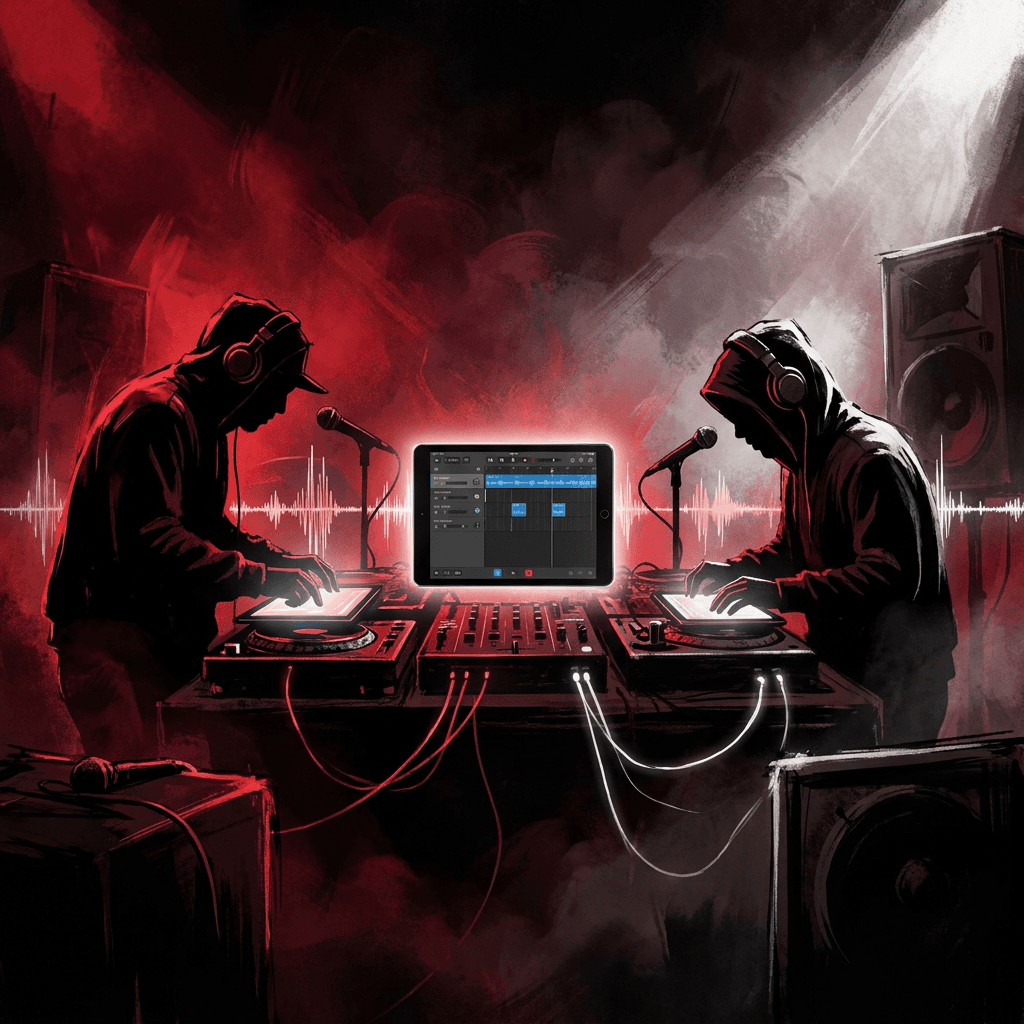
iPad for Music: Your Mobile Beatmaking Studio
You're probably here because the usual setup is getting old. The desktop rig sounds great, sure, but inspiration doesn't care whether you're home, in the green room, on a train, or parked outside rehearsal waiting for somebody who said “five minutes” twenty minutes ago. A hook shows up, a drum pattern lands in your head, maybe a sample chop starts making sense, and by the time you get back to the big setup, the spark is half gone.
That's where the iPad stopped being a toy and started being gear.
I switched from thinking of the iPad as a sidecar to treating it like an instrument. That mindset shift matters. If you still think “tablet” first, you'll judge it like a compromised laptop. If you think “portable production surface with a touchscreen, low latency, real apps, and direct interface support,” it makes way more sense. For beatmaking, demo vocals, arranging, practice, streaming, and live playback, an iPad for music isn't some cute workaround anymore. It's a serious lane.
Your Entire Studio in a Backpack
The old problem was never just power. It was friction. Desktops have headroom, giant monitors, and muscle memory on your favorite plugins. They also have gravity. They keep you tied to one room, one chair, one ritual before anything gets recorded.
The iPad breaks that pattern. You can sketch drums on the couch, track a vocal in a rental, clean up MIDI in a backstage hallway, or mark up charts before rehearsal without dragging half your studio around. That shift didn't happen overnight. As Key Notes noted in its history of the iPad for sheet music and performance, the turning point started as early as 2009, when Korg released dedicated iPad tools like the iElectribe, moving the device from control surface territory into actual playable instrument territory.
 A young man sitting on a park bench using a tablet for music production software.
Why this setup hits different
The biggest win isn't novelty. It's access. When your music rig fits in one sling or one of those durable lightweight bags that don't wreck your shoulder by the end of the day, you stop “planning” to make music and just make it.
That changes behavior fast:
- Ideas get captured immediately instead of being voice-noted and forgotten.
- Sessions get shorter and more frequent because startup time is almost nothing.
- You touch sound more directly by tapping pads, dragging automation, and sculpting with your hands instead of hunting tiny controls with a mouse.
The iPad works best when you treat it like a fast creative weapon, not a smaller version of your desk.
What it's actually good at
For a lot of creators, the sweet spot is obvious the minute they stop trying to force desktop habits onto a touchscreen.
| Creative job | Where the iPad shines | Where it still feels awkward |
|---|---|---|
| Beat sketches | Fast drum programming, sample chops, loop building | Deep file wrangling |
| Rap demos | Portable recording, punch-ins, rough comping | Large-scale session management |
| Live use | Backing tracks, soft synths, chart reading | Complex routing compared with a laptop |
| Content creation | Quick edits, portable ideas, direct touch workflow | Heavy-duty finishing work |
If your day-to-day is songwriting, beatmaking, tracking references, performing, or streaming, the iPad often feels less like a compromise and more like the rig you should've been carrying all along.
Which iPad Is Your Next MPC
Buying an iPad for music isn't about shopping for “the best tablet.” It's about choosing what kind of box you want at the center of your process. It's like choosing between a sketch pad sampler, a workhorse production unit, and a luxury control room.
 A comparison guide for choosing the right iPad model for music production, showing entry-level to professional options.
The three lanes that matter
Base iPad is the sketch machine. It makes sense for somebody who wants to program drums, sample, write ideas, rehearse, or test whether an iPad-centric setup even fits their life. If your workflow is mostly loops, stems, lyric writing, and light app stacks, this lane can work.
iPad Air is a practical answer for most producers. According to Alibaba's 2026 iPad music guide, an iPad Air with an M1 chip handles over 90% of professional music production tasks, while older hardware like the 2018 iPad Pro often tops out around 8 to 12 tracks because of its 4GB RAM ceiling. That's the difference between “cool for ideas” and “dependable when the session grows legs.”
iPad Pro is the flex piece, but not fake flex. It earns its place if you want the biggest screen, the most headroom, and the least resistance when sessions get dense.
My practical ranking
If you make beats, record demos, and move between locations, here's the honest hierarchy:
- iPad Air for the best balance
- iPad Pro if screen size and session overhead matter more than price
- Base iPad if you're mostly sketching and learning
That's less glamorous than saying “buy the Pro or don't bother,” but it's truer.
Practical rule: Buy for the session you actually run, not the fantasy session you might run twice a year.
What matters more than marketing
Specs only count if they affect music. These are the ones that do.
- RAM matters before bragging rights do. Once you're stacking tracks and AUv3 effects, weak memory shows up as instability, reloads, and weird session limits.
- Screen size affects speed. A larger display makes arranging, editing, and reading charts less cramped. You spend less time pinching and more time working.
- Chip support affects app access. Some older iPads still feel fine until one must-have app refuses to install.
- Ports affect everything. If your setup needs interfaces, SSDs, MIDI, or hubs, bad connectivity kills the vibe immediately.
The buyer matrix
| Model type | Best for | Trade-off |
|---|---|---|
| Base iPad | Beginners, casual creators, idea capture | Less room to grow |
| iPad Air | Producers who want one device that can really work | Fewer luxury extras than Pro |
| iPad Pro | Heavy projects, bigger arrangements, live visual comfort | Highest cost |
There's another ugly truth. Older “Pro” devices aren't automatically pro anymore. Some still work for light sessions, but app support has moved on. In the same Alibaba guide, Ableton Live for iPad is listed as requiring an A14 chip or newer for the 2026 version, which is exactly the kind of compatibility wall that catches people after they buy used hardware because the deal looked sweet.
If you want one sentence advice, here it is. For many, the iPad Air is the modern MPC. The iPad Pro is the mastering desk if you want more screen and more breathing room. The base iPad is a notebook with drums. Nothing wrong with that. Just don't confuse one role for another.
Building Your Rig Essential Interfaces and Controllers
The iPad alone can make noise. A proper rig makes records.
The first thing to buy after the iPad isn't a fancy controller. It's an audio interface. That's what gets you cleaner input, proper gain staging, headphone monitoring that doesn't feel like guesswork, and lower latency when you're recording vocals or instruments. If you're a rapper cutting demos, a simple 2-in/2-out interface is usually enough. One mic in, one headphone out, maybe one extra input for a guitar or synth later.
If you're tracking multiple sources at once, things change fast. A singer-songwriter with one mic and one instrument can stay lean. A band, drummer, or creator doing more elaborate routing needs more inputs and more planning. That's not iPad-specific. That's just recording.
Why USB-C decides whether the setup is smooth
The cleanest iPad music setups happen because the cabling finally stopped being ridiculous. As Alibaba's music iPad buying guide explains, USB-C is essential for serious music workflows because it supports direct, high-bandwidth connections to audio interfaces and external SSDs, while older Lightning-based iPads are effectively excluded from professional use.
That lines up with real life. USB-C means fewer adapter chains, fewer random disconnects, and less desk spaghetti.
The controllers that actually earn space in your bag
You don't need to turn your mobile setup into a Guitar Center clearance aisle. Start with one controller that solves a real problem.
- Mini keyboard controller if you write chords, basslines, or melodies by hand.
- Pad controller if you build drums with your fingers and like chopping samples MPC-style.
- Compact mixer or control surface if you stream or perform and want tactile faders.
- Foot switch if your iPad also handles charts, lyrics, or page turns onstage.
A lot of beatmakers overbuy here. They get a keyboard, pad grid, giant stand, battery pack, extra dock, and suddenly the “mobile” setup needs two trips from the car.
Buy the controller that removes the most tapping from your workflow. Ignore the rest until you feel the pain.
Two rig examples that don't waste money
For the rapper recording demos
- A USB-C iPad
- A compact audio interface
- One solid vocal mic
- Closed-back headphones
- Optional small MIDI keyboard for hooks and basic production
For the producer making beats
- A USB-C iPad
- Headphones or monitors through an interface
- Pad controller or mini keys
- External SSD if sample folders start getting unruly
The goal isn't to recreate a giant desktop chain. The goal is to keep the rig tight enough that you'll set it up anywhere.
The App Arsenal DAWs Synths and Samplers
The App Store is where a lot of people lose the plot. They download fifteen music apps, make half a loop in each one, and end up with a home screen full of abandoned experiments. Don't build your setup like that.
Think in roles. You need one main DAW, a couple of sound sources, and one fast tool for sketches or sample work. That's enough to make serious music.
Pick a brain, not a pile
Your DAW is the brain. It's where arrangement, recording, editing, and final structure happen.
Logic Pro for iPad makes sense if you like a polished Apple workflow and want a familiar “real DAW” feel. Cubasis 3 is straightforward and stable for song-based production. BeatMaker 3 still has a cult following because it leans harder into pad workflow and beatmaker logic. Koala Sampler is the chaos goblin in the room. It looks simple, but it's one of the fastest ways to flip audio, resample, and get momentum.
If you're new, don't pick the app with the longest feature list. Pick the one that makes you finish eight bars without thinking about menus. If you need help narrowing that down, this rundown of the best program to make music for beginners is a useful companion.
Then add a few sounds with personality
A sterile mobile rig usually comes from loading generic instruments and expecting magic. A couple of good synths go a long way.
Try one synth that's good for bass and leads, one that does texture, and one sampler that lets you get grimy. That could mean a Moog app for expressive synth work, Koala for dirty chops, and your DAW's built-in instruments for bread-and-butter jobs. You don't need a museum of plugins. You need sounds you learn well enough to bend on command.
AUv3 is where the iPad gets serious
The killer format on iPad is AUv3. That's what lets instruments and effects run inside host apps instead of living in total isolation. Once you've used a few good AUv3 synths and effects inside a proper session, the whole “tablet apps are just toys” argument starts sounding dated.
There is a catch, and it's a real one. Compatibility matters. Older hardware can still run plenty of apps, but not every current release. Qualitatively, that's why buying bargain-bin legacy devices is risky. If a DAW or plugin becomes central to your workflow, unsupported hardware turns into dead weight fast.
A starter pack that doesn't turn into clutter
Here's a practical stack for different creators:
| Persona | Main app | Support app | Why it works |
|---|---|---|---|
| Beatmaker | BeatMaker 3 or Logic Pro for iPad | Koala Sampler | Fast chops plus proper arrangement |
| Rapper | Logic Pro for iPad or Cubasis 3 | Simple vocal effects chain | Easy demo tracking and comping |
| Streamer | Host DAW with backing tracks | AUv3 effects and one live instrument | Flexible live scenes and processing |
A final note on hardware age. Qualitatively, newer music apps are getting less forgiving about old chips and old OS support. If your plan revolves around current pro software, don't buy yesterday's “still good enough” device and act surprised when the door is locked.
Tuning Your iPad for Peak Performance
Most iPad music pain comes from three things. Not enough storage, not enough memory, and bad latency habits. None of those are glamorous, but all of them decide whether your session feels professional or flimsy.
Storage is not a minor detail
For serious production, tiny storage options are a trap. Alibaba's guide on music production and performance states that 8GB of RAM is the minimum for reliable multitrack production with over 10 audio tracks and multiple plugins, and that sample libraries from major vendors can take 15GB to 40GB each, which makes 256GB the functional baseline for a serious producer.
That's the kind of detail people ignore right up until the device starts screaming about storage in the middle of a session.
Latency is the invisible vibe killer
Latency is the delay between your action and the sound coming back. Tap pad, hear drum late. Rap into mic, hear your voice lag. Play keys, feel like the notes are chasing your fingers. That's enough to ruin a good take.
The fix usually isn't mystical:
- Use an audio interface instead of relying on the bare device for demanding sessions.
- Close background apps so your DAW gets more breathing room.
- Adjust buffer settings based on the job. Lower for tracking, higher for mixing.
- Freeze or bounce parts when a project starts getting heavy.
If monitoring feels weird, don't fight through it. Fix the latency first. Bad timing often starts with bad setup, not bad performance.
Battery and thermals are part of the workflow
Portable music is only portable if the thing stays alive. Screen brightness, wireless radios, and background junk all chip away at session time. Keep a charger or power bank nearby if you're out all day, and don't ignore battery health if your iPad is aging. If you're local and the device isn't holding charge like it should, this guide to iPad battery solutions in Singapore is a practical reference for what to check.
A quick field checklist
- Before recording vocals turn off anything you don't need running in the background.
- Before loading libraries check free space so the session doesn't become a cleanup project.
- Before leaving the house charge the iPad, the interface if needed, and any Bluetooth accessories.
- Before a live set test the exact routing you'll use, not a simplified version.
The boring maintenance stuff is what lets the fun stuff happen without crackles, dropouts, and battery panic.
Real World Workflows for Producers and Rappers
Theory is nice. A workflow is nicer. The iPad earns its keep when it disappears into the process.
 Screenshot from https://aidisstrackgenerator.com
The producer workflow
Start with the fastest part of the idea, not the most official-looking one. If a sample is the spark, I'd chop it first in something immediate like Koala. Find the pocket, pitch fragments around, resample a few ugly versions, then export stems into the main DAW for actual arrangement.
From there, build structure. Drums next if rhythm is carrying the track. Bassline next if the sample has enough space. Then add one lead or texture instrument. Don't stack six synths because the touchscreen makes sound design fun. Save headroom and leave the beat somewhere a rapper can live in it.
A tight iPad beat flow usually looks like this:
- Chop source audio in a sampler
- Resample and print stems so decisions stick
- Move into a DAW for arrangement and drum detail
- Add one signature synth or bass part
- Rough mix enough to feel the bounce
- Export stems if the track needs desktop finishing later
This is where the iPad feels killer. Touch-first chopping and arranging is fast. You stop over-editing and start reacting.
The rapper workflow
Rappers usually don't need a maximal setup. They need a beat, a clean input chain, and low enough latency that punching in doesn't feel cursed.
Import the beat into your DAW, set a vocal track, connect the interface and mic, and dial gain before the creative part starts. Don't record takes while you're still messing with clipping and headphone balance. That's how momentum dies.
Then keep the session simple:
- one lead vocal track
- one or two doubles
- a few ad-libs
- rough compression and reverb only if it helps performance
If writer's block hits, use tools that get words moving, then rewrite hard. For creators shaping rough ideas into song form, this guide on turning AI lyrics to song is a solid reference for moving from bars on a screen to something performable.
A demo vocal doesn't need to be pristine. It needs energy, timing, and enough clarity that you know whether the song works.
The live streamer setup
This lane is underrated. The iPad can sit at the center of a compact stream or live content rig if you're disciplined about what runs where.
Use the DAW or host app as the backbone. Load backing tracks, maybe one playable synth, maybe a vocal chain if your interface and app support real-time monitoring cleanly. Keep scenes or projects labeled clearly. Don't build a live rig that requires detective work under pressure.
For creators pushing clips after the stream, distribution matters too. Once the music is made, packaging it for short-form platforms is half the job. A practical resource on optimizing music hashtags for creators can help your post-session uploads land better.
After you've got a stable audio chain, it helps to see a performance-oriented setup in motion:
What all three workflows have in common
They stay narrow. That's the secret.
The producer finishes ideas faster by committing. The rapper gets cleaner demos by reducing setup friction. The streamer avoids disasters by simplifying routing. None of them win by turning the iPad into a fake desktop. They win by using what the platform is naturally good at. Fast touch interaction, portable recording, quick recall, and a setup you'll readily carry.
Is the iPad Ready to Replace Your Laptop
For a lot of musicians, yes. For all musicians, not quite.
If your world is beatmaking, writing, sample flipping, demo vocals, live playback, chart reading, mobile arranging, or streaming, an iPad for music is already mature enough to be the main rig. It's fast to open, fun to touch, easy to travel with, and surprisingly deep once you build a stable app stack around it.
If your world is giant mixes, obsessive file management, edge-case plugin chains, and sprawling desktop habits, the laptop still has advantages. Not because the iPad is weak, but because desktop operating systems remain better at the ugly housekeeping part of production. That matters when projects become less about creating and more about managing complexity.
The healthiest view is this. The iPad doesn't need to replace everything to be a serious studio tool. It only needs to replace the parts of your workflow that benefit from mobility, immediacy, and touch. For many creators, that's the most important part of the job anyway.
And if you still finish on a computer, that's fine. Plenty of great setups are hybrid. Start the idea on the iPad. Build the core there. Record the demo there. Perform from there. Then use the laptop only when you really need the extra admin layer. If desktop cleanup is still part of your process, this look at choosing an audio editor for MacBook is a useful next read.
If you make rap demos, roast tracks, battle bars, or creator content and need help getting from blank page to sharp lyrics fast, try DissTrack AI. It's a quick way to break writer's block, generate punchy ideas, and shape raw concepts into verses you can record on your iPad setup.