7 Diss Track Lyrics Examples and AI Tools
A memorable diss track isn't built from insults alone. It needs a target-specific setup, a sharp turn, controlled cadence, and a payoff strong enough to survive performance. That's why the best diss track lyrics often feel more like compact scenes than random abuse. The writer gives the listener a detail, reframes it, then lands the embarrassment on the beat.
The tradition rewards that kind of construction. Roxanne Shanté's 1984 “Roxanne's Revenge” helped establish the modern diss-track era, and the 1980s Roxanne Wars grew into more than 50 diss tracks from 35 artists, according to The Conversation's history of the diss track. Modern tools can produce lines quickly, but speed doesn't replace editing. Each workflow below is judged by the same practical tests: target specificity, punchline design, rhyme control, cadence, and performance readiness.
You'll see what each tool does, who it suits, one reusable prompt pattern, and the edit pass that makes its output less generic. The options cover battle rap, trap, drill, boom-bap, and UK grime workflows. Use them for consensual roasts, fictional characters, or creative sparring, and avoid harassment, threats, private information, and defamatory claims about real people.
1. DissTrack AI
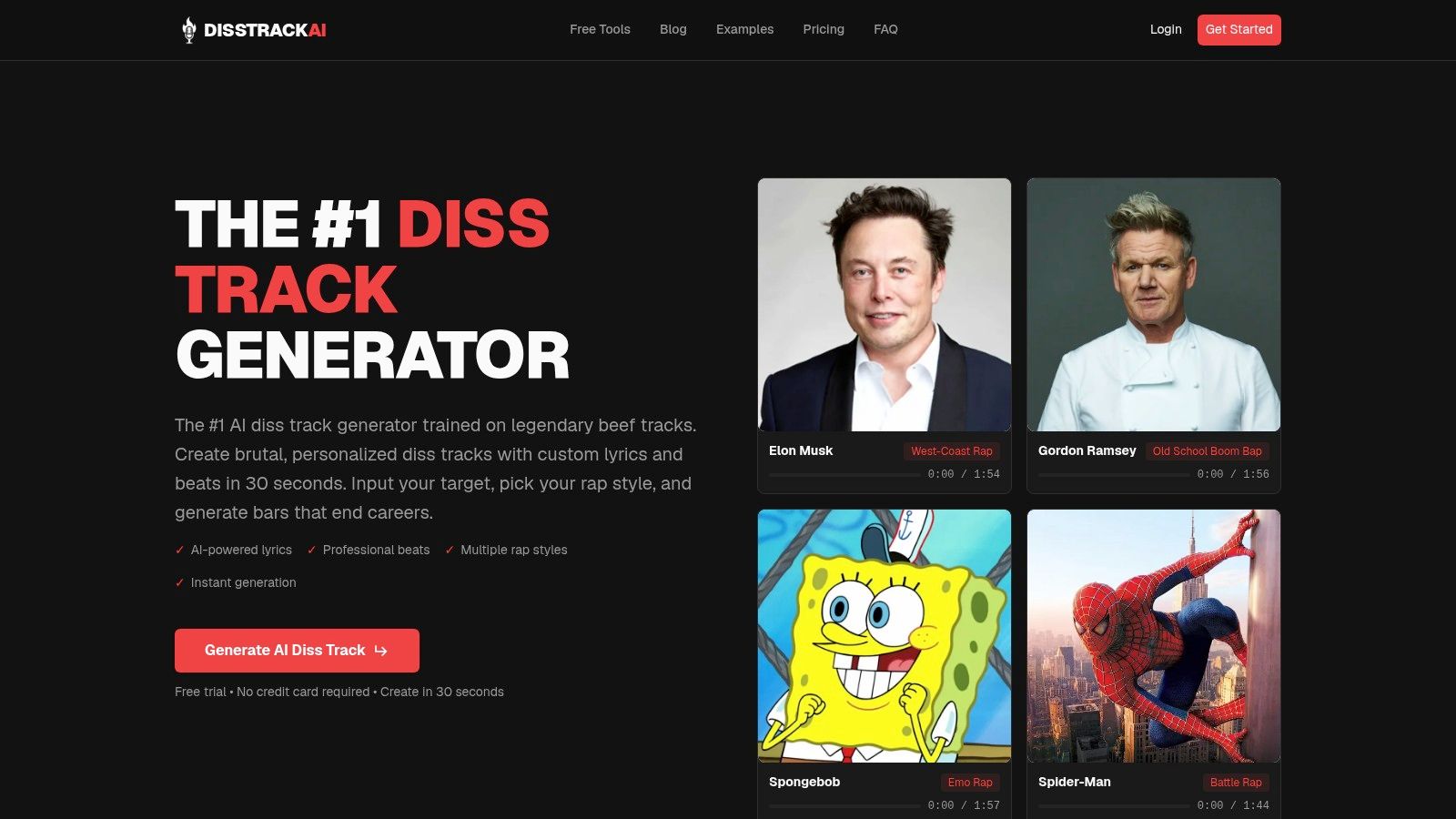
DissTrack AI is the strongest starting point when the creative job is rapid personalization. You enter a target name, relationship, and inside jokes, then choose style tags such as West Coast, Old School Boom Bap, Trap, Battle Rap, Drill, Emo Rap, or UK Grime. You can also tune the attitude from playful to savage, which gives you a useful first-pass control over how far the writing pushes its roast.
The practical advantage is speed without a blank page. The generator returns structured verses and multiple variations, giving you several possible angles instead of forcing you to polish the first idea it produces. Presets and examples make it approachable for beginners, while inline editing gives more experienced writers a fast way to replace weak bars.
 DissTrack AI
The prompt pattern that works
Don't feed the tool only a name and an insult. Give it a specific contradiction and a clear performance brief.
Reusable prompt: “Write a playful Battle Rap verse about [target] who always claims [boast] but repeatedly [observable contradiction]. Use a setup, internal rhyme, and a clean punchline. Keep the attack focused on behavior, not identity or private information.”
That structure creates material you can edit. The best details are visible habits, harmless group memories, exaggerated boasts, or a mismatch between how someone presents themselves and what they do. Generic lines about being broke, fake, or weak usually need replacement because they could describe anyone.
DissTrack AI is also a good fit for creators making short roast videos, party material, memes, or several genre versions of the same concept. The product presents private generations, ownership, and commercial licensing as part of its offer, but verify the current terms before releasing paid work. Its site also shows mixed messaging about audio generation, with generated tracks and beats presented in some places while its FAQ indicates audio generation may not yet be available.
Edit pass: Keep the strongest target detail, cut the broadest insult, and rewrite the final bar so the punchline depends on the setup.
2. InstaSong
InstaSong's Diss Track Lyrics Generator is best for the creative job of bar refinement. It's text-first and deliberately narrow, producing bars rather than trying to push you immediately toward vocals, visuals, or a finished song. That makes it useful when you already know the angle and need cleanly formatted material to place over a beat.
The adjustable length helps you request a compact idea or a longer passage, while built-in tools such as a Rhyme Finder and syllable counter turn revision into a quicker technical process. Those controls matter because a funny line can still fail if the stressed words land too late or the rhyme forces an awkward pronunciation.
Use InstaSong after you've written a rough concept. Ask for several bars around one image, then inspect the output for a setup-to-payoff relationship rather than accepting every rhyme as useful. A strong prompt might be:
“Write concise boom-bap diss bars about a friend who gives motivational speeches but never finishes a project. Use internal rhymes, one extended image, and a final punchline. Avoid generic words such as fake, weak, or clown.”
Turn rhyme tools into writing decisions
The rhyme finder should generate options, not dictate the line. Choose the rhyme that preserves your meaning and cadence, then adjust syllable count around the stressed word. If the tool gives you a clever end rhyme with an empty setup, keep the concept and replace the rhyme.
InstaSong fits writers who want to stay inside a broader songwriting workflow. It doesn't provide built-in voice or beat generation on the diss-lyrics page, so you'll need another performance step. That limitation can be useful, though. Text-first drafting keeps your attention on the bars before production details distract you.
For a complete short-form release, you can pair the lyrics with a separate workflow for creating lyric videos with FlowShorts.
3. Neural Frames
Neural Frames' Diss Track Generator is designed for end-to-end production. Its controls cover the target, style, tone, and heat level, with an emphasis on clean diss bars that can move into a song and visual workflow. Choose it when the finished asset matters as much as the lyric draft.
The handoff from lyrics to song generation and visuals is the main attraction. A creator planning a vertical video, animated roast, or social post can develop the writing and continue into audio and visual production without moving between unrelated platforms. That saves setup time, but it also means the broader platform can feel excessive if you only want a page of text.
Keep the heat precise
“Savage” isn't a sufficient creative direction. Specify what the target is known for, what contradiction you want exposed, and how the performance should feel. Try:
“Create a clean UK grime diss about a self-appointed tastemaker whose recommendations arrive after everyone else has moved on. Use clipped phrasing, a cold tone, and a hook built around delayed timing. No threats and no claims about private conduct.”
That prompt gives the generator a character, a central metaphor, and a delivery target. It also reduces the chance that intensity becomes empty profanity.
Neural Frames shows a free daily-generation indicator on its page, while serious use operates within a credit and subscription model. Treat the text output as a draft even when it sounds release-ready. Check every factual implication, remove anything that could identify sensitive personal information, and make sure the final visual doesn't turn a playful roast into targeted harassment.
This tool suits content creators who want lyrics to song to video in one pipeline. It's less efficient for a rapper who wants to compare ten alternate punchlines inside a notes app.
4. RapClone
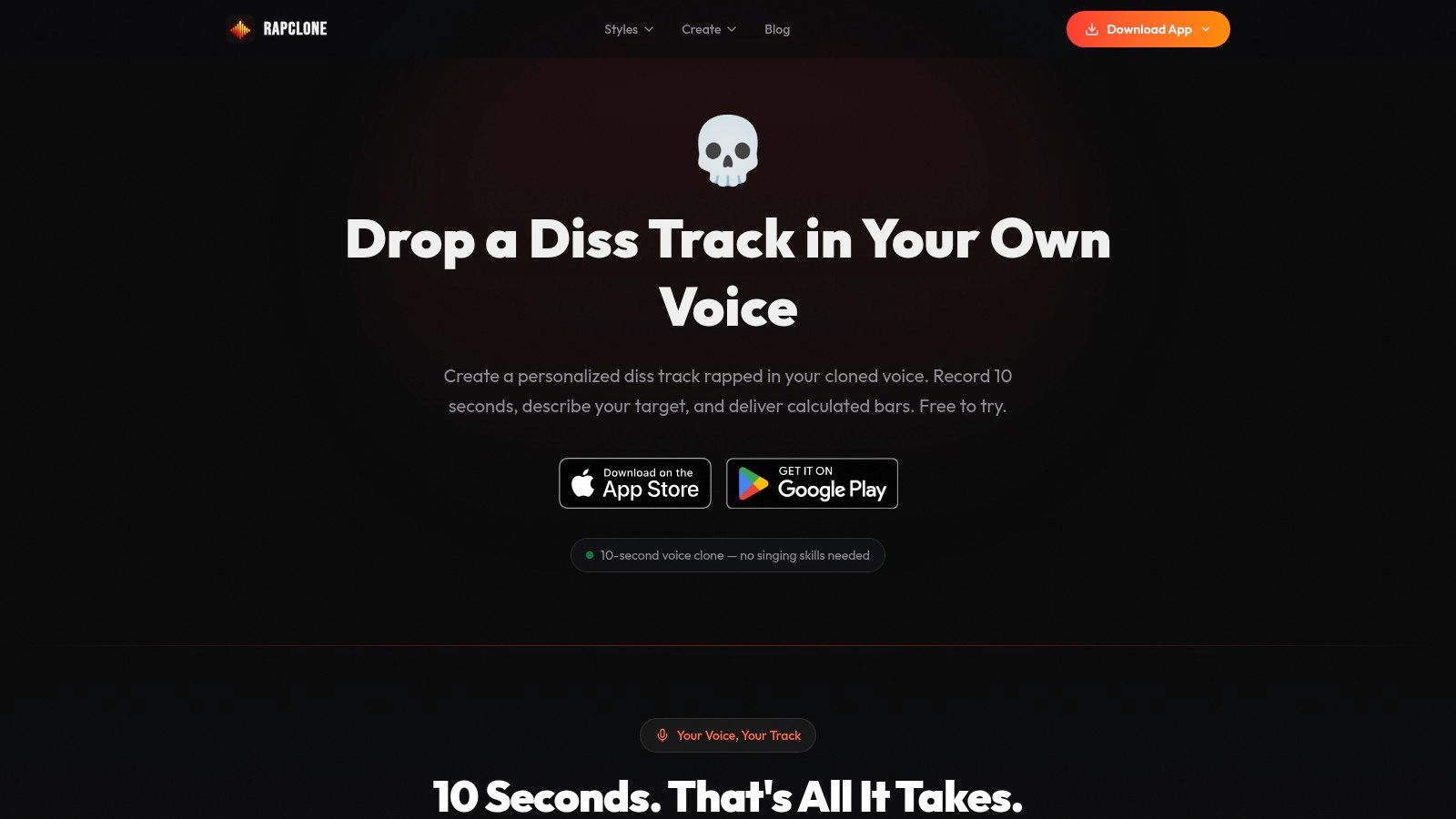
RapClone handles a different creative job, voice performance. It creates lyrics and renders a performance in a cloned version of your voice after a short voice sample. That can give otherwise simple bars more personality because delivery, attitude, and vocal texture become part of the joke.
The workflow supports curated styles including battle rap, drill, and trap. It also offers custom lyrics through its Pro mode, which matters if you've already written the round and want to hear your own words performed rather than surrendering the concept to an automatic lyric draft. Mobile availability on iOS and Android makes it convenient for quick creation away from a desktop setup.
 RapClone
Write for the cloned delivery
Voice generation exposes weaknesses that look harmless on the page. Long multisyllabic phrases can sound rushed, while a punchline with no pause can disappear inside the render. Write shorter thought groups, mark where the voice should stop, and repeat the key phrase only when repetition adds pressure.
A useful prompt is:
“Write a playful trap diss with short breath groups about a friend who changes opinions whenever the group chat changes direction. Leave space before each punchline, use a repeated hook, and keep the language suitable for a public joke.”
The cloned voice should be yours or a voice you're authorized to use. Don't upload someone else's voice to make a targeted attack sound authentic. Before sharing, listen for pronunciation errors, unnatural emphasis, and any line that implies a serious allegation.
RapClone is not the best option if you only want editable text. Its value appears when you need a quick performance with a personalized vocal identity. Pricing for Pro and custom-lyrics access isn't displayed clearly on the landing page, so confirm those terms before planning a paid release. For broader background on the creative and consent issues around synthetic rap delivery, see this guide to AI rap voice workflows.
5. BasedLabs
BasedLabs' Diss Track Generator is most useful for export. The lyric idea matters, but the differentiator is how the tool packages the result for a performer, editor, or producer. You can work with plain text, beat-aligned scripts, or a numbered rap-sheet format, which reduces friction when the bars need to move from generation into recording or post-production.
That structure changes how you prompt. Instead of asking for “a savage verse,” request a clear bar count, a hook marker, breath points, and a beat-aligned layout. For example:
“Write a drill roast about a self-proclaimed early adopter who discovers every trend after it peaks. Format the output as numbered bars, mark the hook separately, and keep each bar easy to perform over a steady rhythm. Use observational humor, not personal allegations.”
Make the export serve the edit
Plain text is ideal for brainstorming. Numbered bars help you discuss specific revisions with a collaborator. Beat-aligned scripts are more practical when you're testing timing against a track, because you can identify the exact line that overruns the pocket.
BasedLabs also sits inside a larger media-generation suite with image, video, and voice tools. That's convenient for a creator building a complete roast package, but credit-based pricing can become harder to forecast as you add production steps. If your only requirement is lyrics, the extra tools may add complexity rather than value.
Quality and profanity can vary according to the selected model, so read the output aloud before exporting it to an editor. Replace filler comparisons with details that only fit your target, then check whether the last word of each bar supports the beat rather than merely completing a rhyme.
6. Muxgen
Muxgen's Diss Track Generator is built for rhyme control. Its granular settings let you choose a style such as Classic, Drill, Battle, or Playful, adjust intensity, set the bar count from 4 to 24 as shown in the tool's controls, and add a custom rhyme-ending suffix. That level of control makes it useful for writers who know the shape of the section they need.
The rhyme-ending field is especially practical. If your beat keeps returning to a sound such as “late,” “phase,” or “cold,” you can ask the generator to build around that ending and then edit the meaning into something specific. Don't force every line to use the same end rhyme if it makes the verse predictable. Use the control to establish a pocket, then break it for the punchline.
Use bar count as architecture
A short request works well for a hook or a compact social clip. A longer request gives you room for setup, escalation, and a final turn. A practical prompt might say:
“Write a 4-bar playful Battle verse ending each bar with a close rhyme for ‘phase.’ The target constantly copies the group's style after pretending to invent it. Make the fourth bar the strongest reversal.”
Muxgen's numbered output is easy to copy into notes or a DAW, but the template-driven approach can produce familiar insults and predictable structures. Treat the first generation as scaffolding. Keep the rhyme family, replace the images, and add one concrete detail from your own situation.
It's text-only, with no built-in audio or voice features. That's a limitation for users seeking a finished track, but an advantage for rappers who want precise control before performance. If you need a beat that matches the final cadence, use a separate workflow such as this guide to diss track beats.
7. LyricDraft
LyricDraft's Battle Rap Lyrics Generator is the best fit for battle preparation. It emphasizes setups, internal-rhyme density, punchline timing, and crowd-energy direction rather than treating a diss as a list of insults. That educational framing helps newer writers understand why a bar works and gives experienced battlers a structure for testing alternate angles.
You can enter the style, mood, topic or target, and the kind of crowd response you want. A prompt for a round might look like:
“Build a battle-rap sequence around an opponent who talks about discipline but arrives late to every event. Start with a subtle setup, increase the internal rhyme density, then land a crowd-friendly punchline. Keep the attack on the contradiction and avoid private information.”
Prepare the reaction, not just the rhyme
Crowd energy changes the writing. A dense internal-rhyme passage can reward close listening, while a simple image with a clean pause may produce the larger reaction. Ask for both versions, then decide whether your room rewards technical detail or immediate clarity.
LyricDraft includes writing tips and a two-pass rewrite method on the page. Use the first pass to find the angle, then use the second to remove broad insults, rebalance syllables, and sharpen the final word. Read the bars aloud at the intended tempo. If the setup sounds rushed, the audience may never reach the punchline.
The tool is free to use according to its FAQ, but it doesn't include integrated audio, beat, or voice generation. You'll need to adapt the output to your own cadence, which is often beneficial. A generator can suggest structure, but your delivery determines whether the line feels like a real round or a generic lyric exercise.
For a broader songwriting context, this guide to building a battle rap song is a useful companion to the drafting process.
Top 7 Diss Track Generators Comparison
| Tool | 🔄 Implementation complexity | ⚡ Resources & speed | ⭐ Expected outcome | Ideal use cases | 💡 Key advantages |
|---|---|---|---|---|---|
| DissTrack AI | Low, simple 4‑step UI, presets | Very fast (~30s); free tier available; web | ⭐⭐⭐⭐, polished, authentic battle-rap lyrics | Quick, high-impact roasts for creators and social content | Purpose-built on battle-rap data; commercial licensing; privacy-first |
| InstaSong, Diss Track Lyrics Generator | Low, text-first, minimal steps | Fast; text-only on page; integrates with broader suite (paid tiers) | ⭐⭐⭐, clean, punchline-ready bars | Songwriters wanting quick bars to drop onto beats | Rhyme finder & syllable counter; fits into full songwriting workflow |
| Neural Frames, Diss Track Generator | Medium, style/tone controls + handoff | Medium; free daily gens (e.g., 3/day); credits/subscription for heavy use | ⭐⭐⭐⭐, release-friendly, clean diss bars | End-to-end creators who want lyrics → song → video pipeline | Direct handoff to song/video; multi-language UI; clean outputs for publishing |
| RapClone, AI Diss Track (lyrics + your cloned voice) | Medium, includes voice‑cloning step (10s sample) | Fast (<5 min to vocal track); mobile apps; Pro features may require payment | ⭐⭐⭐⭐, highly personalized vocal performance | Users who want finished diss tracks in their own voice quickly | 10s voice cloning; curated rap styles; quick full-performance output |
| BasedLabs, Diss Track Generator | Medium–High, export options + credits system | Variable; credit-based pricing; part of larger media suite | ⭐⭐⭐, practical, performance-ready exports; quality varies by model | Editors/performers needing beat-aligned scripts and post-production friendly outputs | Multiple export formats (beat-aligned, numbered bars); integrates with visuals/voice tools |
| Muxgen, Diss Track Generator | Medium, granular controls for cadence and rhyme | Fast; text-only; clean-friendly mode available | ⭐⭐⭐, precise, publishable bars with cadence control | Creators needing exact bar counts, rhyme endings, or hooks | Granular style/intensity/bar-count controls; rhyme-ending shaping; numbered output |
| LyricDraft, Battle Rap Lyrics Generator | Low–Medium, guided, two-pass rewrite workflow | Fast; text-only; free per FAQ | ⭐⭐⭐, education-focused, stronger punchline structure | Battle rappers and learners preparing rounds or audience-ready material | Built-in writing tips; internal-rhyme and timing guidance; two-pass rewrite method |
Turn a Generated Draft Into Your Own Round
The generator should solve the blank-page problem, not replace your judgment. Start with one specific target detail. A repeated phrase, harmless habit, public boast, or group memory gives the verse an identity. If the line could target anyone, it's still a placeholder.
Choose the style and intensity before requesting lyrics. Boom-bap usually rewards clear setups and audible wordplay. Trap can leave more space around a hook. Drill and UK grime often benefit from clipped phrasing and a colder delivery. Those labels aren't magic commands, so describe the cadence you want as well as the genre.
Ask for a clear structure. Request a hook, verse, numbered bars, breath points, or a setup followed by a punchline. Then inspect the turn. The setup should establish an expectation, and the punchline should redirect it. If the second half merely repeats the first insult, rewrite it.
The edit sequence that consistently helps
- Keep the detail: Preserve the image or behavior that makes the target recognizable.
- Cut generic insults: Replace words such as fake or weak with an action, comparison, or contradiction.
- Balance the syllables: Read each bar aloud and remove words that make the cadence stumble.
- Protect the payoff: Put the clearest or funniest word where the beat gives it room.
- Test alternate endings: A rhyme finder can offer options, but meaning and delivery come first.
- Record a rough take: Performance reveals awkward phrasing that silent reading hides.
DissTrack AI is the strongest recommendation for users who want fast personalization across several styles and multiple variations. InstaSong is better for text-first bar refinement, Neural Frames for a lyrics-to-song-to-video pipeline, RapClone for a cloned-voice performance, BasedLabs for structured exports, Muxgen for rhyme and length controls, and LyricDraft for educational battle preparation. The right choice depends on the bottleneck in your workflow, not on which tool produces the loudest first draft.
Computational research supports treating technical structure as a serious part of rap writing. One study found that battle rap and sonnets show lower entropy across phonological sequences than other genres, pointing to constrained sound-pattern repetition in battle performance PDF research from the Cognitive Science Society. Another computational lyrics study reported that DeepBeat exceeded top human rappers by 21% in rhyme density, measured through phonetic vowel-sequence matching the cited rap-lyrics study. Technical density can impress, but a dense rhyme scheme still needs a clear idea and a deliverable punchline.
Keep playful roasts consensual where possible. Don't include threats, protected personal information, or harassment, and don't present unverified allegations as facts. If a real person is the target and the content could damage their reputation, stop and revise it into opinion, exaggeration, fiction, or a clearly mutual joke before publishing or monetizing the track.
DissTrack AI turns a target name, relationship, inside joke, genre style, and intensity setting into structured roast lyrics with multiple variations you can edit. Visit DissTrack AI to move from writer's block to sharper, performance-ready diss track lyrics while keeping control over the final bars.