
7 Best AI Generator Tools in 2026: Rap and Diss Picks
Your group chat has gone too far. Someone dropped the screenshot, the jokes got personal, and now everybody expects you to deliver the comeback tonight. You open a blank document, type a weak rhyme about their haircut, delete it, and start wondering whether writer's block is secretly on their side.
That's where the right AI generator earns its keep. This list ranks the best AI generator tools for turning a beef, inside joke, or playful roast into an actual rap track, not generic song ideas. I'm judging them by the things that matter when the clock's ticking: lyric control, style steering, vocals, downloads, commercial rights, privacy, and pricing. You'll get the clean pick for a quick group-chat roast, the strongest full-song platform, and the tools worth using when you need a downloadable track instead of another unfinished draft.
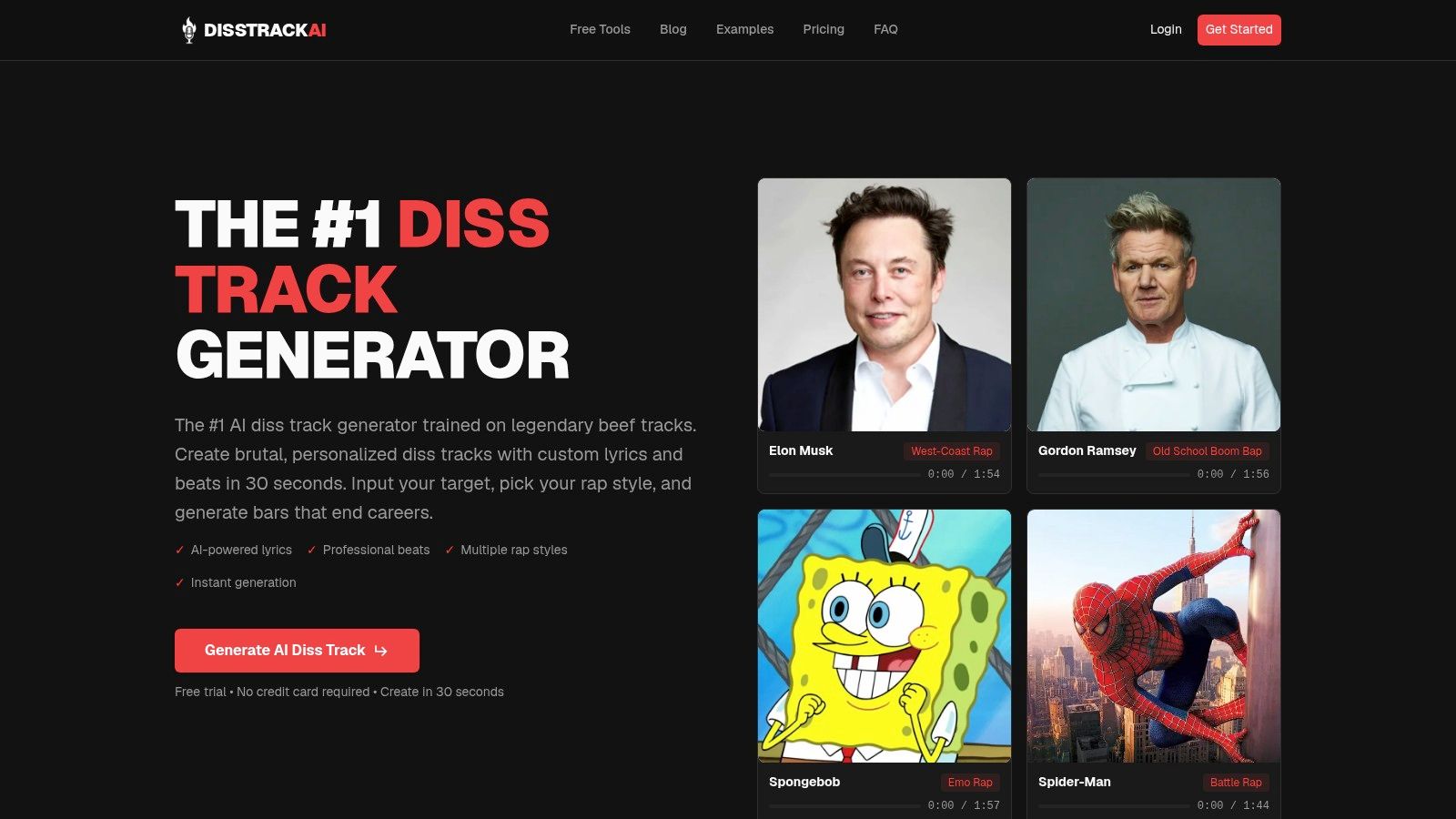
1. DissTrack AI
Best for: Personalized diss lyrics, battle-rap punchlines, and fast roast creation.
Use DissTrack AI when the whole joke depends on specifics. This tool works best when you are roasting an actual person with recognizable habits, not writing a generic flex track. You feed it the target's name, your relationship, the running joke, and the exact angle, then guide the output with West Coast, Boom Bap, Trap, Drill, Emo Rap, and UK Grime style options plus a savagery slider. That last part matters. A group-chat clowning session needs a different setting than a scorched-earth verse.
Its real advantage is lyric control. In a simple test prompt about a roommate who keeps stealing leftovers, DissTrack AI stayed on the behavior across multiple drafts instead of drifting into random insults. That makes it more useful than broad song generators for roast tracks, because the punchlines keep circling the same flaw. Keep the versions that name the target's weird habit clearly. Delete the lines that sound generic, then tighten the rhyme yourself.
The workflow is built for that. You get structured verses, alternate takes, and editable lines, so you can swap one weak jab without rebuilding the full song. Beginners get enough guidance to start fast. More experienced users can push harder on tone, flow, rhyme pattern, and subject focus. If your goal is a finished diss, not just vague rap lyrics, that focus helps.
Best use: Generate several angles, keep the funniest two or three punches, then rewrite any line that sounds too broad or too close to a famous rapper's voice.
What you get for the money
There's a free plan if you want to test a roast before paying. Pro costs $9.99 per month for 15 tracks, while Creator costs $29.99 per month for 100 tracks, and yearly billing is presented as saving about 20% on the listed subscription cost. Paid plans include commercial licensing and ownership according to the product information, with privacy controls highlighted until you choose to publish. You can check the current offer at Visit DissTrack AI.
The catch is output clarity. The product page shows AI vocals, beats, and mixing, while some FAQ wording reads more like a lyric-first tool. If you need a downloadable finished track for posting tonight, confirm what your plan includes. If you mainly need sharp lyrics you can record elsewhere, it's an easy recommendation.
Verdict: Pick DissTrack AI for targeted beef, inside-joke roasts, and fast punchline generation. It is the strongest choice here for lyric-first diss writing. Keep it funny, keep it specific, and do not turn a joke track into a real-world problem.
 DissTrack AI
2. Suno
Best for: Turning a rough concept into a complete rap song with vocals, beat, and mix.
Suno is the pick when you don't want to stitch separate tools together. Give it a prompt or paste lyrics, and it can generate a full song with rap vocals, musical backing, and a finished mix. That makes it useful for creators who want something they can share immediately, rather than a page of bars that still needs a producer.
The strongest part is the end-to-end workflow. Suno Studio adds a multitrack-style environment with arrangement controls, effects, automation, and MIDI export, giving you more room to shape the result after the first generation. You can draft a hook, extend a verse, change the energy, and keep iterating until the track sounds less like a first attempt.
For a roast, lyric quality still depends heavily on your brief. Include the target's harmless quirks, the setting, the intended tone, and the exact structure you want. A vague prompt usually produces a vague insult. A detailed brief gives Suno enough material to build a song around.
Read the platform's current rights terms before publishing. Free-plan songs are described as non-commercial, and downloads or credit entitlements can differ by tier. Plan limits may change, so check the current subscription page rather than assuming a song you made for fun is cleared for monetized video use.
For a useful comparison of full-song generation and lyric-first workflows, see this guide to text-to-music tools.
Verdict: Pick Suno when the finished audio matters more than surgical control over every punchline. It's the strongest all-in-one choice here, but don't treat the free tier as commercially cleared.
3. Udio
Best for: Iterating on rap songs with tighter control over lyrics, vocals, and style.
Udio feels built for the person who hears the track in their head and refuses to settle for the first output. It generates songs from text, but you can also work with editable lyrics and music, making it easier to repair a weak hook or reshape a verse that missed the joke. That extra control suits diss tracks because the funniest detail often needs a few rewrites before it lands.
Its style-reference workflow is another advantage. You can use an existing song as a reference for the aesthetic you want, then steer the vocal direction with Voice Control. That's useful when you want a dark drill atmosphere, a bright throwback feel, or a more theatrical battle-rap delivery without writing a paragraph of production terminology.
The interface stays clean enough for quick experimentation. You can generate several directions, compare hooks, and keep developing the version with the best cadence. Udio also documents credits and account limits through its help materials, which is better than making users guess why a generation stopped working.
The trade-off is entitlement complexity. The seven-day Standard trial is limited compared with the full Standard experience, and free or paid download rules have changed over time. Check the current terms before you build a monetized channel around a track, especially if you're using borrowed style references or publishing vocals that sound close to a recognizable performer.
Verdict: Use Udio when you care about the delivery and want to keep refining the song. It beats simpler generators for iteration, but you'll need to monitor credits and download rights.
4. RAO Music
Best for: Downloadable MP3 diss tracks with practical commercial-use terms.
RAO Music takes a value-first approach. You can generate a complete rap track from a topic or pasted lyrics, including the beat and vocal, and the platform returns two variations so you can compare takes instead of accepting the first result. That's handy for roasts because one version may have the stronger setup while the other lands the better hook.
The platform uses credits and supports multiple AI engines, giving you a way to compare outputs rather than relying on one sound. It also includes tools such as a lyrics studio, covers, vocal removal, and stems. Those extras make RAO more useful to producers and creators who want to turn a funny diss into a short video, remix, or performance edit.
Downloads and licensing
RAO provides 50 free credits at signup and advertises unlimited MP3 downloads with a commercial license included for typical creator use. That's a strong setup for meme pages, streamers, and social channels that need downloadable audio without immediately committing to a subscription.
The ceiling appears when you want higher-end production files. WAV downloads and stems require a subscription, and credit costs vary by engine. That means the platform is excellent for quick MP3 publishing, but less attractive if you're preparing a track for detailed mixing or handing separate parts to a producer.
Practical rule: Treat the MP3 license as a plan feature to verify, not as permission to use every input, voice, or reference however you want.
Verdict: Choose RAO Music when you want a usable MP3 and clear creator-oriented licensing without making a subscription the first step. Move elsewhere if stems and WAV files are central to the project.
5. RapMaker.org
Best for: Rap-focused drafting with guardrails for clean, shareable roasts.
RapMaker.org doesn't pretend that rappers want a generic songwriting dashboard. It gives you direct entry points for Create a Rap, Use My Lyrics, Diss Track, and Freestyle, so you can start with the workflow that matches your idea. The dedicated Diss Track mode includes clean-roast guardrails and example prompts, which makes it a sensible choice for streamers, school-friendly parties, and creators who don't want the generator to sprint toward harassment.
The best feature is the editable lyric stage before generation. You can inspect the bars, adjust the wording, and compare example cadences before turning the draft into a song. That keeps you in control of the joke and reduces the risk of publishing a line that invents a serious allegation or reveals something private.
RapMaker.org also explains its plan differences clearly. Free users can stream songs, while paid Starter and Plus tiers include private generations and unlimited MP3 or WAV downloads. That split matters if you're testing ideas publicly, because a free generation may not be suitable for a private client project or an unreleased creator track.
The platform is less compelling if you want broad music production controls beyond rap. It's a focused workspace, not a complete studio, and private output plus download features sit behind paid access.
Verdict: Pick RapMaker.org for clean roast content, editable bars, and a rap-native workflow. It's the responsible party option, especially when the audience includes people who don't need maximum savagery.
6. AI Singer App
Best for: Hearing a diss track performed in your own cloned voice.
AI Singer App wins on personalization. Provide a voice sample of about 10 seconds, and the mobile-first app can generate songs in that voice, including a Battle Rap option. The appeal is obvious for a party, skit, short-form video, or friend-group roast. A familiar voice turns an ordinary AI track into something that feels made for the room.
The app supports iOS, Android, and the web, so you don't need a desktop production setup to get started. It advertises more than 100 genres, and generation often takes under five minutes, according to the product description. The workflow is quick: record, choose the battle-rap direction, add the target and joke, then share the result.
Where it falls short
You won't get the same bar-by-bar control as a lyric-first desktop tool. Arrangement options are lighter, and in-app pricing varies by store and region, so verify the current cost before subscribing. Voice cloning also raises a responsibility issue. Use your own voice or a voice you have clear permission to use, and don't clone someone else to make a public accusation or misleading endorsement.
For more context on using AI voices in rap, read this guide to AI rap voice generation. If your next step is pulling vocals from an existing video, RenderIO's audio extraction pipeline covers a separate production workflow.
Verdict: Choose AI Singer App when the voice is the joke. It's fast and personal, but serious lyric writers will want another tool for detailed structure and punchline control.
7. LyricsToSongAI
Best for: Brand-safe diss tracks and a broader set of music utilities.
You want a roast track that gets laughs in the group chat, not a mess that sounds mean or gets taken down. LyricsToSongAI is the practical pick for that job. Its diss-track builder gives you real control over tone, beat style, safety presets, and structure tags like verse, hook, and punchlines, which matters if you're trying to turn a beef into a finished rap track without crossing the line.
Here's how to use it well for a roast. Set tone to playful, pick a boom bap or light trap beat, choose the clean safety option, and build around verse, hook, and punchlines. Then swap any line that hints at a real accusation for a harmless fictional habit, like hogging the aux or never replying in the group chat. That setup gives you a track people can share at a party, on TikTok, or in a birthday montage without creating a bigger problem than the joke was worth.
It also does more than spit out one diss. You can move from the roast generator into the same platform's lyrics generator, beat maker, stem splitter, or vocal remover. That makes LyricsToSongAI a good fit for creators who start with a joke track and then want to keep editing inside one account instead of bouncing between tools. For a lyric-first alternative that turns edited bars into a full track, see this guide to AI lyrics to song workflow.
The free start is useful. You can test the workflow without adding a card, and free credits are available at signup. Paid credits make sense only if you plan to iterate a lot, because output quality still depends heavily on how clearly you describe the beat, delivery, structure, and target audience.
Keep the joke fictional or consent-based when possible. A funny roast attacks a harmless behavior. It doesn't expose private data, invent criminal claims, threaten someone, or target a protected trait.
That caution is not fluff. Adobe's creator research found that 35% of surveyed creators saw unreliable output quality as a barrier, 32% were uncertain how AI models were trained, and 72% were concerned about content being used for training without permission. The report surveyed more than 16,000 creators across eight major markets. Read Adobe's creator research for the broader context.
Verdict: Pick LyricsToSongAI if your priority is a clean, structured roast with enough controls to shape the joke and enough utility tools to finish the track. It is not the pick for the nastiest bars. It is one of the smartest picks for public-facing content.
Top 7 AI Music Generators Comparison
| Product | Complexity 🔄 | Resources / Pricing 💡 | Output quality ⭐ | Speed & workflow ⚡ | Ideal use cases 📊 |
|---|---|---|---|---|---|
| DissTrack AI | Low, purpose-built UI, presets for rap flows | Free trial (1 roast); Pro $9.99/mo (15); Creator $29.99/mo (100); commercial licensing included | High for lyrics, trained on classic diss tracks; authentic punchlines (audio capability ambiguous) | Very fast, ~30s per track; multiple verse variations | Rappers, streamers, meme accounts, producers needing writer's block |
| Suno | Medium, end-to-end pipeline + multitrack editor (studio complexity) | Credit system: free tier with limited/non-commercial downloads; paid tiers expand credits/downloads | High, prompt-to-full-song with natural vocals and mixes | Fast from idea to song; studio editing increases workflow time | Creators wanting a single workflow from idea → shareable track |
| Udio | Medium, editable lyrics/music and Voice Control features | Trial (7‑day standard-reduced); documented credits/limits; check current entitlements | Good, clean interface for quick drafts and controllable voice/style | Quick iterative drafting; good for hooks and revisions | Creators who want voice/style steering and iterative drafting |
| RAO Music | Low–Medium, simple generation UI with multiple engines | Credit-based; 50 free credits; unlimited MP3 downloads (commercial for MP3); WAV/stems require subscription | Good, varies by engine; practical downloadable MP3s with license | Fast, immediate generation and downloads | Creators needing downloadable MP3s and flexible licensing; engine comparisons |
| RapMaker.org | Low, rap-first UX with dedicated diss/freestyle modes | Freemium: free public generations; paid unlocks private generations and MP3/WAV | Good, rap-specialized outputs with roast guardrails | Fast, cadence examples and quick generation | Streamers/parties and users focused on diss/freestyle workflows |
| AI Singer App | Low, mobile-first, 10s voice clone workflow | App/in‑store pricing varies by region and store; in‑app purchases common | High for personalization, clones user's voice; limited studio control | Very fast, often <5 minutes from sample to song | Parties, skits, quick creator content wanting roast in own voice |
| LyricsToSongAI | Medium, prompt builder, safety presets, multi-tool ecosystem | Free credits on signup; heavier use requires paid credits | Good, safety-focused, keeps roasts brand/platform-friendly; polish varies | Fast, text-to-music engine; output quality depends on prompt | Brand-safe roasts, parties, users wanting integrated lyric/beat tools |
Pick Your Weapon and Drop the Track
The right tool depends on what you're trying to publish. For a fast, personalized comeback with editable bars, choose DissTrack AI. For a complete song with beat, vocals, and mix, choose Suno. For a more iterative studio-style workflow, Udio gives you stronger control over the musical direction. RAO Music is the practical MP3 pick, RapMaker.org is better for clean roast workflows, AI Singer App makes the voice itself the punchline, and LyricsToSongAI suits brand-safe content with extra music utilities attached.
Don't judge the best AI generator by the loudest demo. Judge it by whether you can control the target details, remove risky lines, shape the delivery, download the result, and understand who owns the output. McKinsey's 2025 global survey found that 88% of organizations regularly used AI in at least one business function, but only about one-third had started scaling AI across the enterprise, and just 39% reported any enterprise-level EBIT impact. The practical lesson is simple: adoption isn't the same as value. A generator needs a repeatable workflow, not just a flashy first result. McKinsey's 2025 AI survey supports that distinction.
Before you publish, check the current download rules, commercial license, credit limits, privacy settings, and voice permissions for your chosen platform. Edit every bar yourself. Keep allegations out unless you can verify them, avoid doxxing and threats, and disclose synthetic vocals or music when the platform or audience expects it. UK music research found that 81.5% of surveyed consumers wanted AI-generated music clearly labelled, while 78.5% opposed using an artist's music or vocals without permission. The relevant music-industry findings show why transparency isn't a boring footnote. It's part of making the track publishable.
If you're extracting vocals or building a karaoke-style version after generation, Saturalabs can help isolate vocals. Test the free tier, keep the best take, rewrite the weak punchlines, and only then send the track into the group chat.
If your beef needs sharper bars instead of another generic song draft, DissTrack AI turns names, inside jokes, style tags, and roast details into editable diss lyrics with multiple variations. Try it for a fast group-chat comeback, a streamer segment, or a battle-ready demo, then shape the final track in your own voice.