AI for Personal Use: The Ultimate 2026 Guide
You're probably already doing this without calling it “AI strategy.”
You paste a messy email into a chatbot and ask it to make you sound less frazzled. You drop in a long article and ask for the two-minute version. You need a birthday roast, a wedding toast, a playlist theme, a fake movie trailer concept, or a few punchlines for the group chat, and suddenly the blank page isn't blank anymore. That's the story of AI for personal use in 2026. It's not just about squeezing more work out of your calendar. It's about having a creative sidekick on demand.
The fun part is that personal AI doesn't have to feel corporate. It can help you plan dinner, rewrite your dating profile, brainstorm Halloween costumes, or generate battle-ready lyrics for a joke feud with your cousins. Some people use it like a pocket editor. Others use it like a sketchbook that talks back.
The New Normal for Everyday AI
At 7:12 a.m., your friend texts: “Can you help me write something funny but not embarrassing for my sister's wedding toast?”
By 7:15, you've fed a few details into an AI tool. She loves reality TV, she once got locked out in slippers, she's somehow the only organized person in the family. The AI drafts a warm opening, sneaks in two jokes, and gives you three endings so you can choose between sentimental, playful, or chaotic. On the train to work, you use the same tool to summarize an article you've been meaning to read for a week. By lunch, you ask it for five ideas for a themed house party. By night, it's helping someone in your group chat write fake wrestling intros for everyone in the fantasy league.
That pattern isn't niche anymore. A major 2026 consumer AI survey found that U.S. adult adoption reached 64%, while daily use climbed to 25%, up from 19% the year before. Among AI users, 39% said they use AI daily, and 24% spend more than an hour per day with AI. The same survey found that 26% of U.S. adults used AI to research topics of personal interest, making it the most common AI activity measured in that study. It also estimated global consumer AI spending at $40 billion in 2026, which shows how fast personal AI has moved into mainstream digital life, according to Menlo Ventures' 2026 consumer AI report.
From novelty to habit
People used to treat AI like a party trick. Ask it for a poem about your dog. Make it write a pirate email. Laugh, screenshot, move on.
Now it behaves more like a default layer across daily tasks:
- Creative rescue: You're stuck on lyrics, captions, hooks, jokes, or a tough text message.
- Fast context: You want the short version of something dense before you decide whether to read more.
- Micro entertainment: You turn a random idea into a fake ad, a roast, a quiz, or a weird little song.
Practical rule: If a task starts with “I know what I want, I just don't want to start from zero,” AI is usually useful.
For people who want a more always-on setup than a browser tab, a desktop AI tool for peak productivity can be a helpful way to keep summaries, writing help, and task support close by without constantly bouncing between apps.
What Personal AI Actually Means
Personal AI isn't some mini version of a giant corporate robot brain. It's better to think of it as a digital sidekick tuned for one person's pace.
Enterprise AI is the commercial kitchen. It handles bulk orders, compliance rules, shared systems, reporting, and all the backstage machinery companies need. Personal AI is the home air fryer. It's fast, convenient, easy to use, and built around what one person wants right now. You don't need a team to operate it. You don't need a rollout plan. You just need a task.
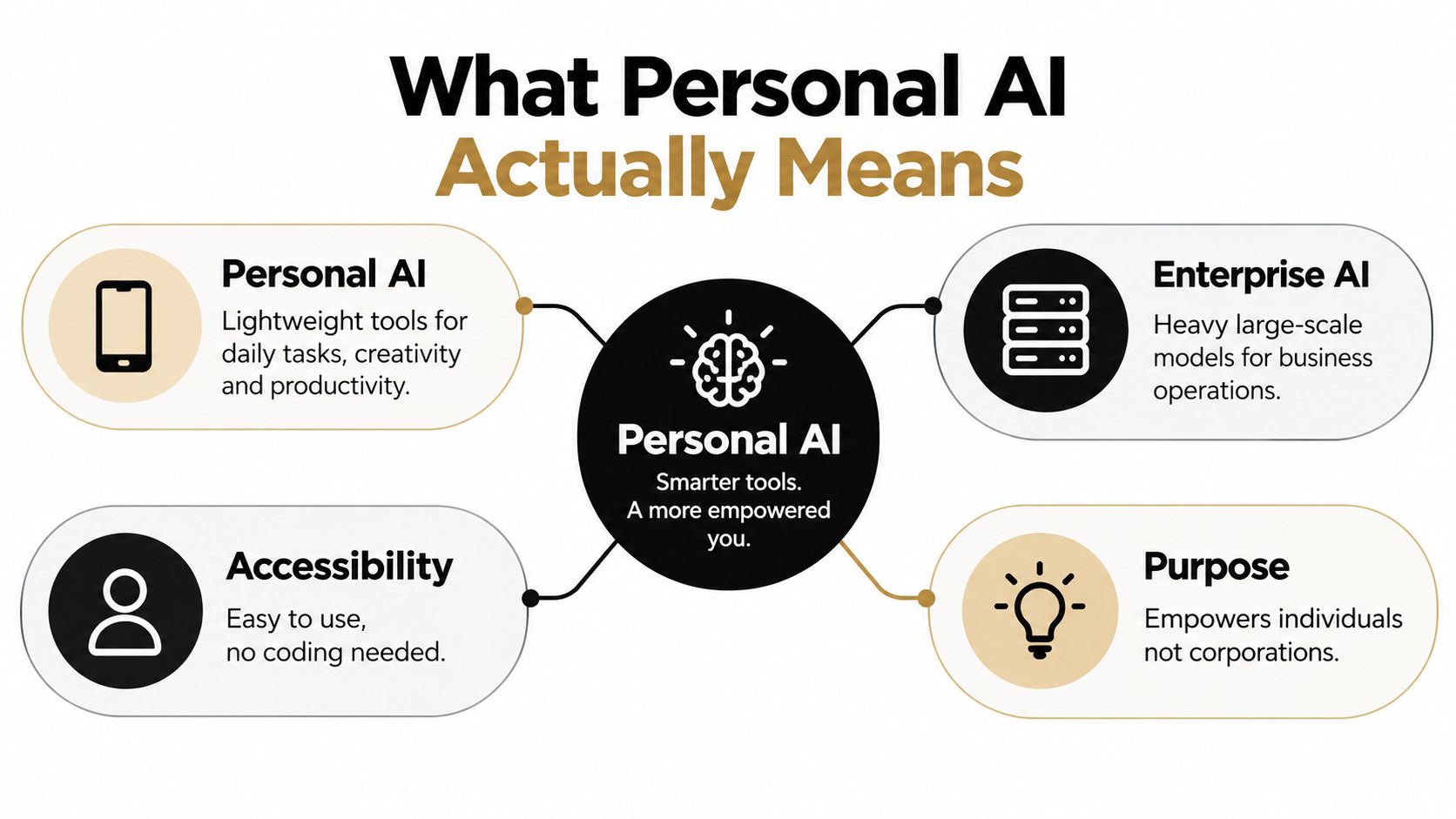 An infographic defining Personal AI as accessible, empowered tools for individuals, contrasted with large-scale enterprise AI models.
What it looks like in real life
A personal AI tool might act like:
- A sous-chef: It turns your random fridge inventory into dinner ideas.
- A writing buddy: It rewrites your rough notes into a cleaner message.
- A hype man: It helps you brainstorm names, taglines, hooks, or intros.
- A study partner: It explains a concept in plain English, then quizzes you on it.
That's why AI for personal use feels so different from business AI. The success metric isn't “organizational efficiency.” It's whether the tool helps you make, decide, learn, or laugh faster.
Why speed on your device matters
A lot of personal AI feels magical only when it responds quickly. If you're using it for voice notes, travel planning, caption ideas, or on-the-go writing, lag kills the vibe.
That's why on-device AI matters more than many people realize. MLPerf Mobile v6.0 added generative AI benchmarks for Android using Llama 3.2 1B Instruct, Llama 3.2 3B Instruct, and Llama 3.1 8B Instruct, with prompts from TinyMMLU and IFEval to measure both accuracy and inference performance on real phones. The practical takeaway from MLCommons' benchmark update is simple: for consumer phones, 1B to 3B models are currently the benchmarked sweet spot when you want interactive, always-available assistance without depending on remote servers.
Personal AI works best when it feels less like “waiting for software” and more like “thinking out loud with backup.”
So when people say “AI for personal use,” they usually mean tools that are accessible, fast, low-friction, and useful for individual goals. Not replacing your brain. Extending it.
Top Creative and Practical AI Tools
The most interesting thing about consumer AI right now is the range. One minute you're using a general assistant to clean up an awkward email. The next, you're generating an absurd fake diss track for a friend's birthday slideshow.
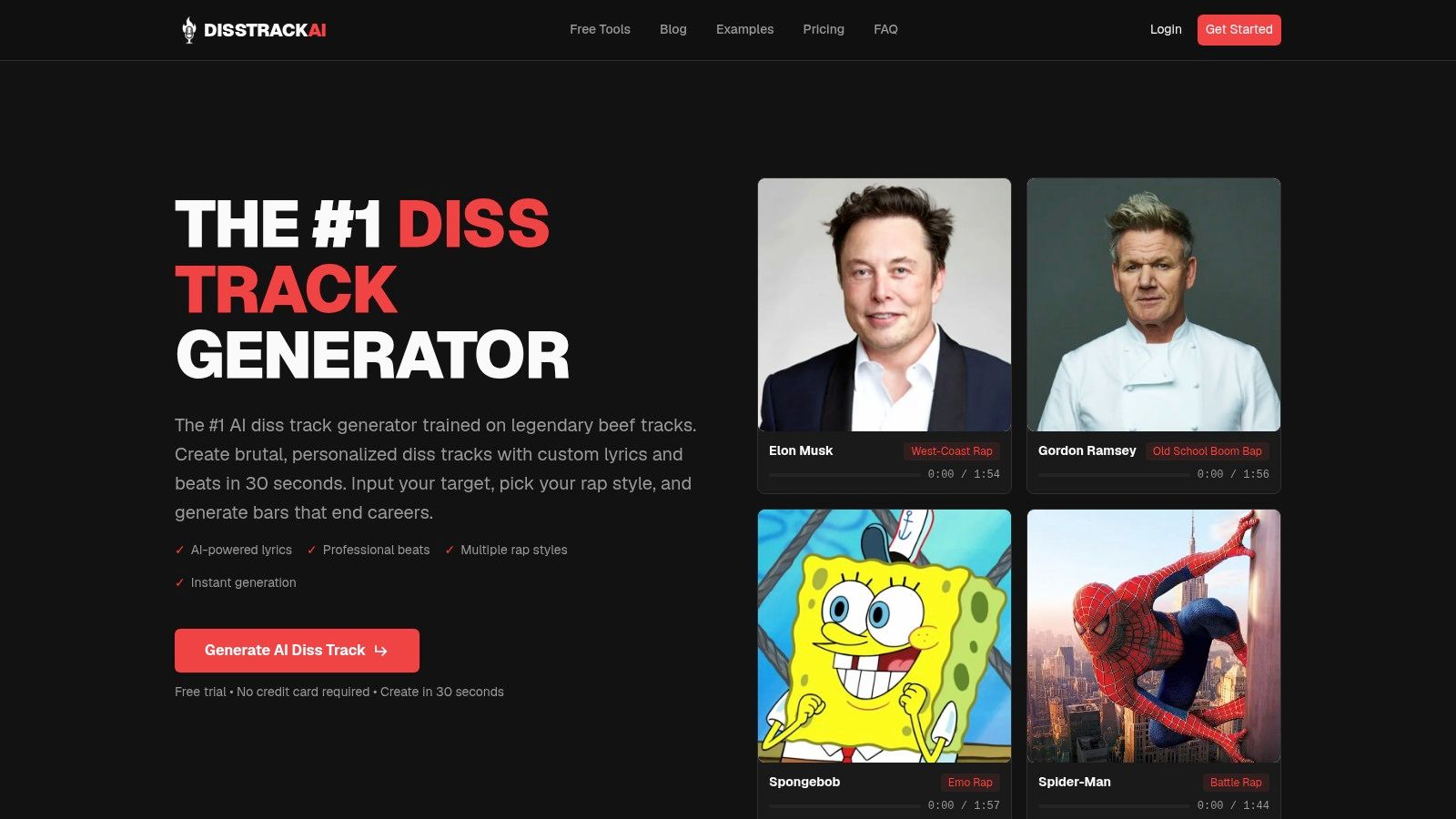 Screenshot from https://aidisstrackgenerator.com
The practical lane and the chaos lane
Some tools are there for everyday lift:
| Tool type | What people use it for | Best when |
|---|---|---|
| General chat assistants | Drafting, summarizing, brainstorming | You need flexible help fast |
| AI note tools | Condensing meetings, study notes, articles | You collect too much information |
| Image generators | Memes, thumbnails, moodboards, joke graphics | You think visually |
| Music and lyric generators | Hooks, parody songs, roast verses | You want entertainment, not spreadsheets |
If you create videos, shorts, podcasts, or social posts, it also helps to compare AI content tools by format instead of chasing hype. The right tool for scripting is often the wrong one for visuals, and the right one for visuals might be useless for punchlines.
A niche tool that proves the point
One of the clearest examples of AI shifting from “office helper” to “creative toy box” is the rise of specialized generators. DissTrack AI, for example, lets users enter a target's name, relationship, inside jokes, choose style tags like West Coast, Old School Boom Bap, Trap, Battle Rap, Drill, Emo Rap, or UK Grime, and then generate personalized roast lyrics with different levels of savagery. That's not productivity software. That's personal expression with a mischief setting.
For people experimenting with AI music more broadly, the guide on using an AI music app for creative projects is a useful next stop because it turns the idea from “fun gimmick” into an actual workflow.
Here's the kind of creative use case that keeps personal AI interesting: a party host wants a custom intro track for every guest. One person gets villain entrance bars. Another gets affectionate roast lines about always being late. Someone else gets a dramatic UK Grime-style verse about their fantasy football collapse. AI turns that from “fun idea I'll never execute” into “send me ten minutes and a few inside jokes.”
A quick demo helps make that leap feel real:
The best personal AI tools don't just save time. They unlock ideas you probably wouldn't have made at all.
That's the key distinction. Utility matters. But delight is why people keep coming back.
Navigating Privacy and Safety Concerns
Personal AI gets more complicated the moment your prompts stop being generic.
A grocery list is one thing. A breakup text draft, a health worry, a private family story, or a rough journal entry is different. The question isn't just “Can AI help?” It's “How much of my life should I hand over?”
That concern isn't paranoid. It's normal. Across five major markets, Prophet found consumer generative AI use rose from 45% in early 2024 to 73% in 2026, while about two-thirds of users still worry about AI's effect on accuracy, human skills, and personal connection. Pew also found that U.S. adults use chatbots for emotional support or advice (10%) and companionship (4%), which are much less common than information search. Privacy worries are also strong. The Canadian privacy regulator reported that 83% of Canadians are concerned about privacy when using AI tools and 88% worry about personal information being used to train AI systems, as summarized by Prophet's analysis of personal AI adoption and concern.
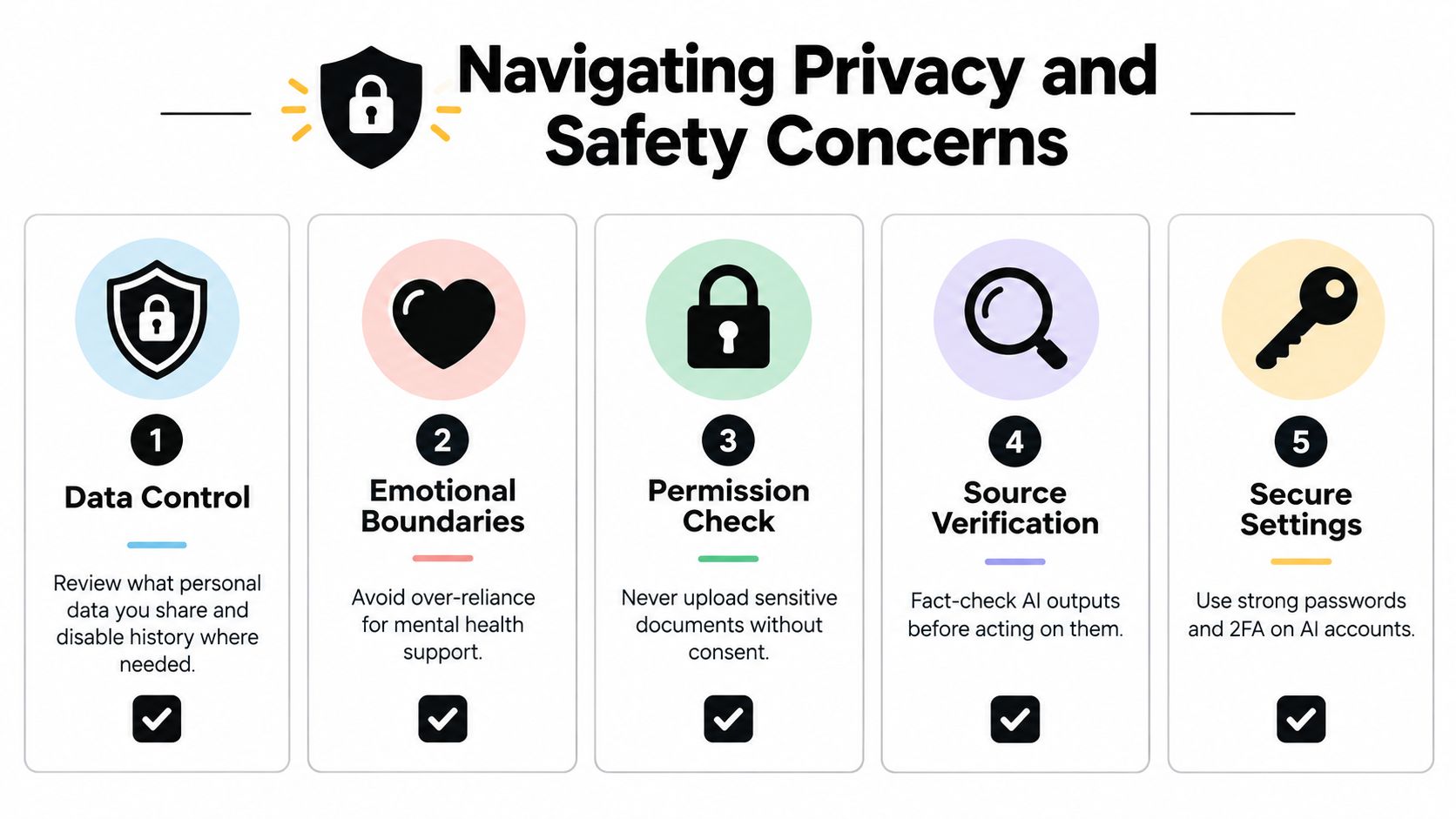 An infographic titled Navigating Privacy and Safety Concerns with five numbered tips for using AI safely.
A simple filter before you paste
Use this mental checklist before sharing anything personal:
-
Would I say this to a contractor I just hired?
If not, strip out names, dates, locations, and identifying details. -
Do I need the exact document, or just the pattern?
Often you can ask for help using a paraphrased version. -
Would a wrong answer create real harm?
If yes, verify everything and don't treat the model like a licensed professional.
Where emotional use gets slippery
AI can sound warm, patient, and available. That makes it tempting for emotionally loaded moments. But “available” isn't the same as “safe,” and “fluent” isn't the same as “wise.”
Don't give a chatbot the final vote on your relationships, health, money, or self-worth.
Use it to organize your thoughts. Use it to draft questions for a therapist, doctor, lawyer, or trusted friend. Don't use it as the authority on human issues.
For creators using AI-generated lyrics or songs, it also helps to understand publishing and ownership questions before sharing anything publicly. The article on whether you can publish a song written by AI is worth reading for that reason.
Safer habits that still keep AI useful
- Turn off history when appropriate: Some tools let you limit retention or training use.
- Use placeholders: Replace real names with labels like “Friend A” or “Coworker B.”
- Fact-check outputs: Especially for legal, medical, financial, or news-related prompts.
- Keep your best boundaries offline: Journals, passwords, IDs, and sensitive files don't need AI in the loop.
You don't need to fear personal AI. You do need standards.
Building Your Daily AI Workflow
The people who get the most out of AI aren't the ones writing mystical prompts. They're the ones who build a repeatable rhythm.
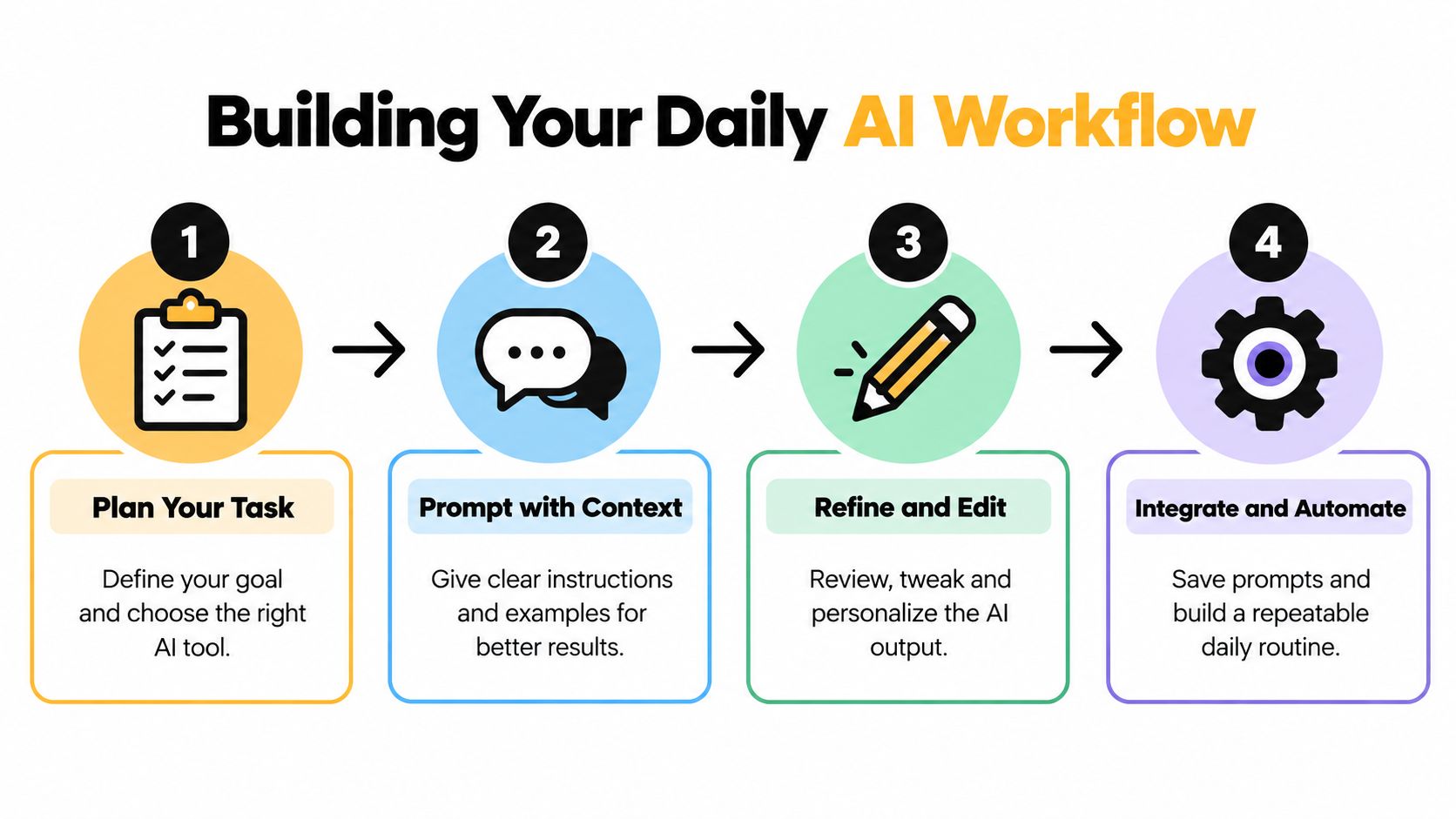 A four-step infographic illustrating how to create a daily workflow using artificial intelligence tools.
A four-step rhythm that actually sticks
Start with one task you already do often. Maybe it's summarizing notes, drafting social captions, outlining scripts, or punching up lyrics. Then run it through the same sequence every time.
- Pick the role: Don't ask for “help.” Ask for “three chorus ideas,” “a cleaner version of this text,” or “a roast verse in UK Grime style with no profanity.”
- Feed context: Give the tool your raw material, audience, tone, and constraints.
- Edit for your voice: The first draft is clay, not the statue.
- Save your winning prompts: Reuse what works instead of reinventing the setup.
Prompting like a normal person
Good prompts aren't fancy. They're specific.
Try this formula: task + context + style + constraint + output format
Example: “Turn these messy notes into a playful one-minute birthday toast. Keep it affectionate, include the slippers story, avoid anything too mean, and give me three closing lines.”
That structure also works for music and creative projects. If you're turning rough lyrics into something performable, the guide on going from lyric to music with AI tools is a practical example of how iteration beats one-shot generation.
Workflow hint: Ask for variations, not perfection. Three decent versions are more useful than one overcommitted bad one.
The final move is the one many skip. Read the output aloud. If it sounds like an intern doing an impression of you, trim it, swap words, and put your fingerprints back on it.
Choosing the Right AI for Your Lifestyle
A good personal AI stack should feel like a favorite jacket. Useful, easy, and not something you have to think about all day.
If a tool takes too long to answer, needs too much setup, or keeps giving you content you wouldn't use, it doesn't matter how advanced it is. It's clutter. The right choice depends less on trendiness and more on your habits.
Match the tool to the moment
If you mostly need help with writing, planning, and summarizing, use a general assistant and stop there. If you make videos or memes, add an image or media tool. If your fun projects include parody songs, battle bars, party roasts, or social clips, a niche generator can earn its place because it does one specific thing with style.
A simple way to choose:
- Go on-device when speed and privacy matter: Especially for mobile use and quick-response tasks.
- Stay in the cloud when range matters more: General assistants still win when you need broad knowledge or longer outputs.
- Don't automate your joy: If you love sketching, journaling, or writing verses from scratch, AI should support that, not replace the part you enjoy.
Start with one low-stakes win
The easiest way to build taste with AI is to try something playful first. Write a wedding toast. Generate five ridiculous fantasy team slogans. Turn a friend's inside jokes into a mock rap intro. Make a fake movie pitch for your group chat.
That's when AI for personal use clicks. Not when it feels like homework. When it helps you make something you'd send, share, laugh at, or keep.
The sweet spot is simple: let AI remove friction, not personality.
If you want to try the entertaining side of personal AI instead of another boring productivity demo, DissTrack AI lets you generate personalized roast lyrics from names, inside jokes, relationships, and style tags in seconds. It's a sharp example of how AI can fuel self-expression, party content, creator ideas, and pure chaos in a way that still feels personal.