How an AI Lyric Generator Actually Creates Lyrics
You've got a beat looping, a rough idea for a roast, and a cursor blinking where the first line should be. You know the feeling you want, but the words keep coming out too stiff, too generic, or just a little off the rhythm.
An AI lyric generator can get you moving by offering drafts, rhyme ideas, and different ways into the same theme. It can't decide which line sounds like you, deliver it with conviction, or guarantee that a polished couplet will work over your beat. Think of it as a programmable writing partner: useful for getting options on the page, while you stay in charge of the song.
Meet Your AI Songwriting Partner
A rapper sits at a laptop, headphones on, trying to open a verse with a line that feels sharp but not mean-spirited. They type a broad request, get a tidy rhyme about “fire” and “desire,” and immediately hear the problem: the words technically fit, but they could belong to anybody.
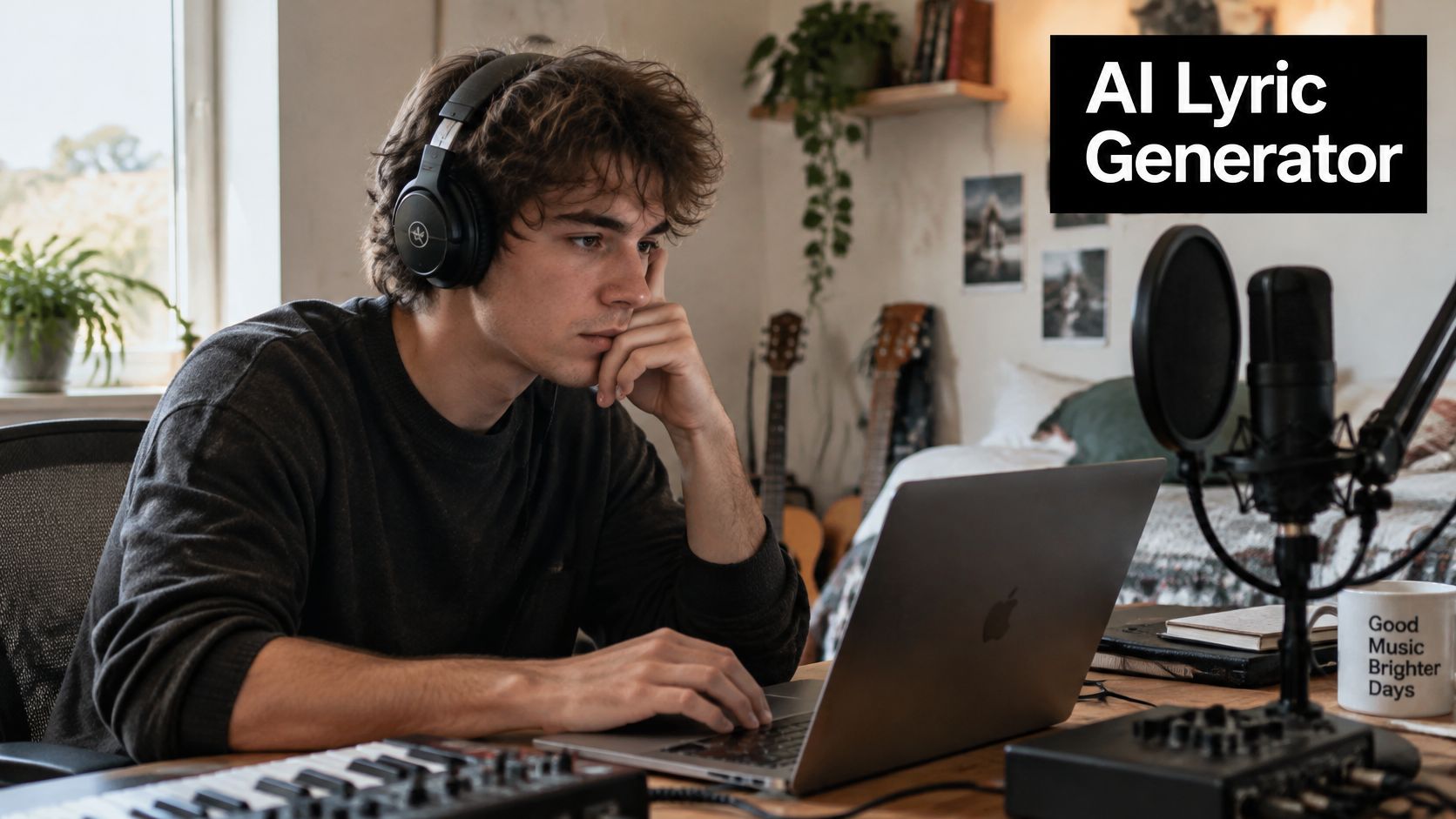 A young man wearing headphones writing music on a laptop in his home recording studio setup.
The first draft doesn't have to be the keeper. The useful question is whether it gives you something to react to. Maybe a phrase suggests a better punchline, or a different rhyme helps you find the right cadence. You can ask for a few alternatives, keep one idea, reject the rest, and reshape the line until it sounds natural in your voice.
That makes an AI lyric generator less like a hit-making machine and more like a sparring partner. It can help you overcome the blank page, experiment with directions, and get raw material quickly. You still need to decide what the song means, whether the language feels authentic, and how the words land when performed.
The broader field of AI-assisted music includes tools for composition, co-composition, sound design, lyric generation, and translation. Research examining AI-related music artworks describes growth in AI music production since 2017, while also noting that the number of documented artworks stayed relatively stable during the five years its analysis covered (research on AI music artworks and creative roles). That context matters: lyric generation is one creative tool within a wider musical process, not a shortcut around every part of songwriting.
The practical questions are simple. How does the generator turn a prompt into lines? Which controls help the words fit a beat? Why can a fluent verse still feel awkward? And what should you consider before publishing a draft? The answers start with understanding what the tool is built to do, and what it can't judge for you.
Understand What an AI Lyric Generator Does
Think of a lyric generator as a pattern engine. It uses the prompt you provide to produce language that fits the subject, tone, and structure you ask for. A general text assistant can help with lyrics, but a dedicated tool may also offer song sections, rhyme controls, line-length options, or several variations to compare.
Lyrics give these systems plenty of structure to work with. Rhyme, meter, repetition, imagery, point of view, and genre conventions create recognizable patterns. A prompt can add constraints on top: a theme, a target, an emotional tone, a required phrase, or a particular kind of rhyme.
Here's a kitchen analogy. The model is the chef, its learned language patterns are the pantry, and your prompt is the recipe. You might ask for a playful verse with a repeated hook and a clear rhyme pattern. The tool can mix ingredients toward that request, but it doesn't know whether the finished dish tastes right to your audience. You still need to taste, adjust, and decide what belongs.
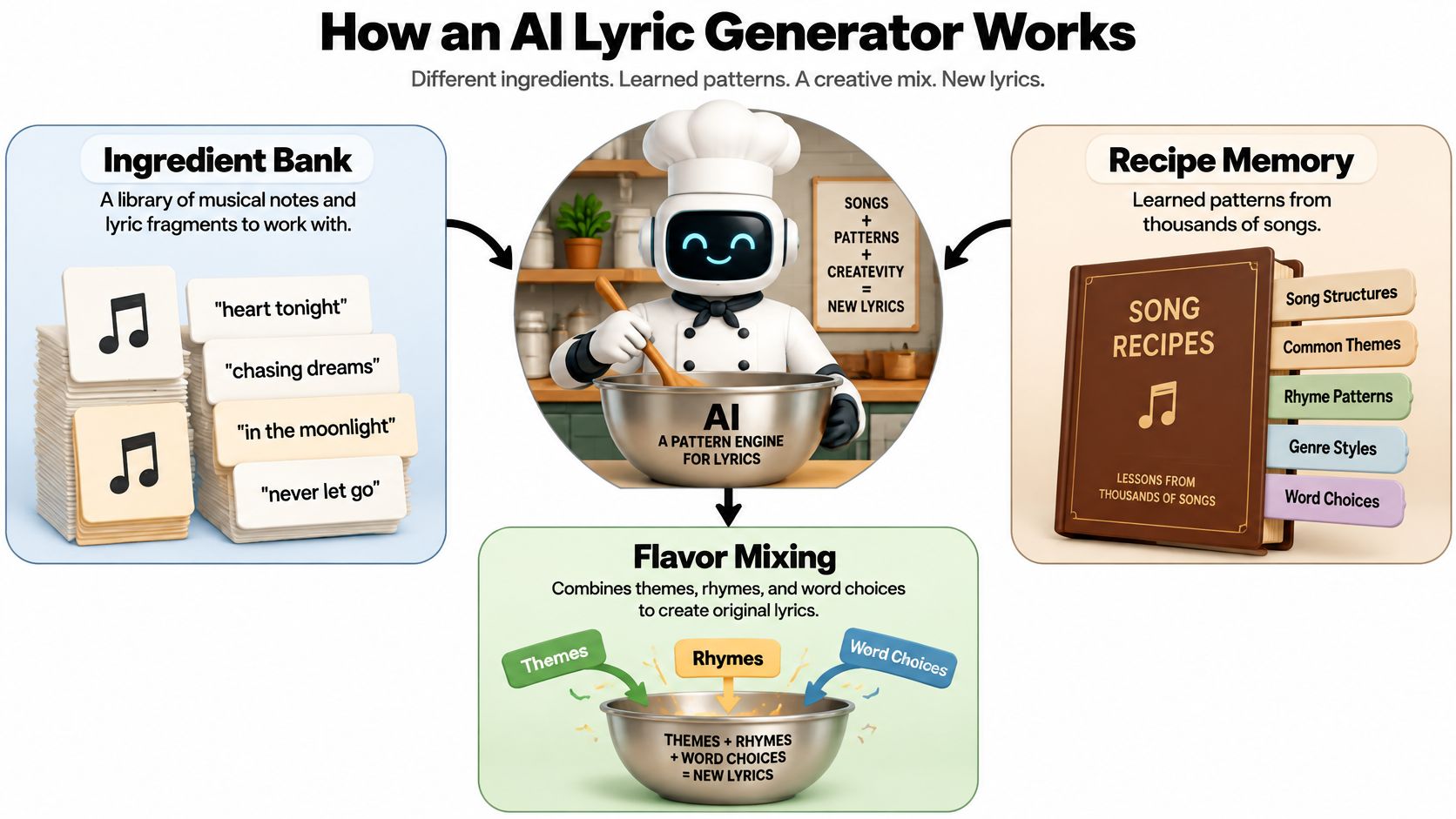 A diagram illustrating the process of an AI lyric generator using ingredients and recipes to create music.
That distinction helps explain why meaning and musicality are separate problems. A line can make sense on the page but stumble when rapped. A rhyme can sound neat but force an idea you didn't mean. A generator can produce an emotionally coherent verse without making it memorable, original, or safe to share. Fluency is a starting point, not a verdict.
This is also where the discussion of musical artistry and algorithm tension can be useful. The central creative question isn't whether software can produce words. It's how a songwriter uses those words without handing over decisions about voice, meaning, and performance.
To see the process in motion, consider what happens between typing a prompt and reading a verse.
See How Generated Verses Take Shape
A useful lyric tool does more than turn “write a battle verse” into a block of text. The request needs enough shape to guide both what the verse says and how it can be performed.
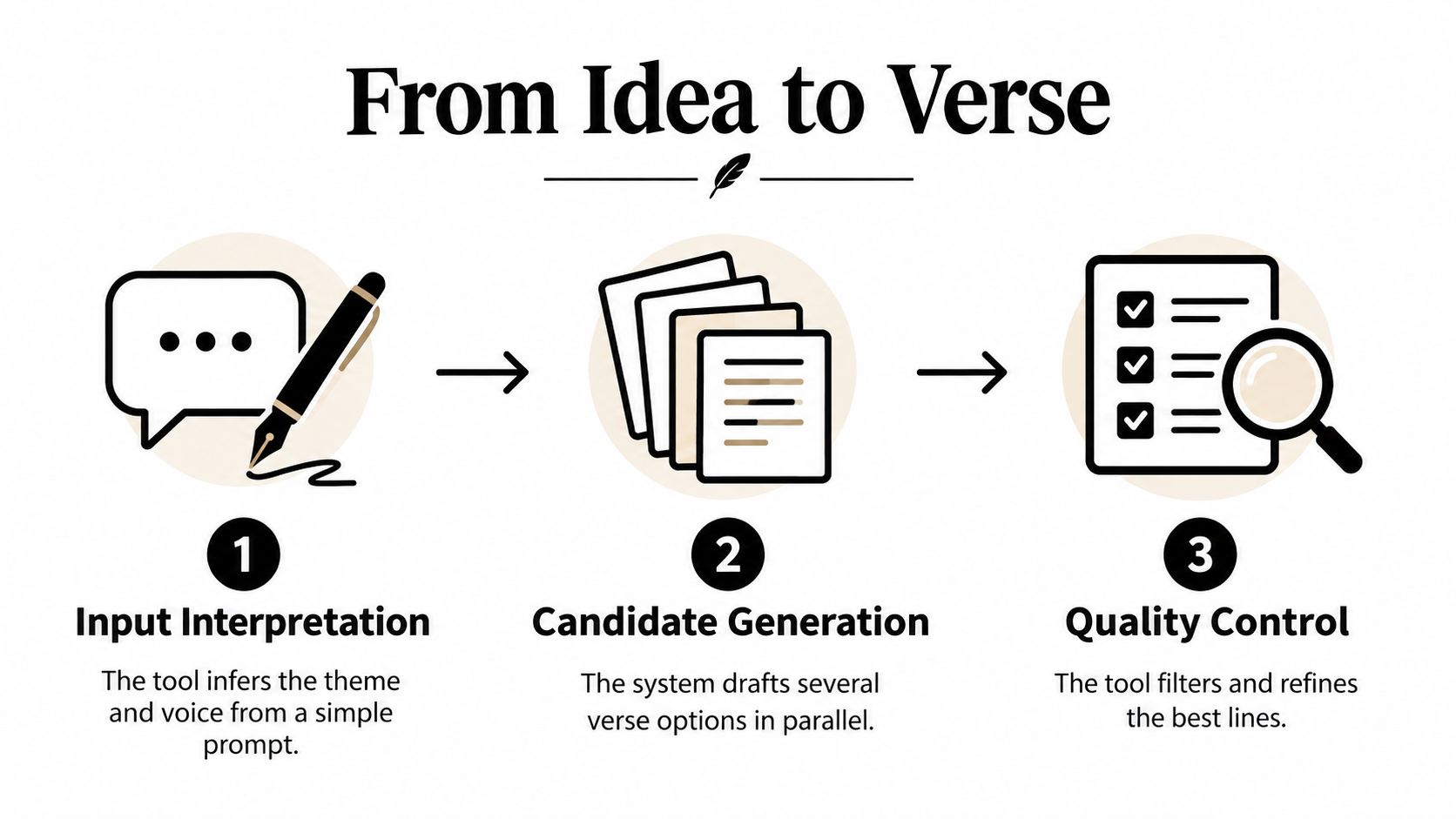 A three-step infographic titled From Idea to Verse illustrating AI lyrics generation process using icons.
A generation process often follows a practical sequence:
- Interpret the input. The system identifies the theme, tone, audience, and any required details. “Roast my friend” is broad. “Write a playful roast about my friend who always loses at trivia” gives the tool a clearer subject and a safer tone.
- Set up the verse. A structured tool can organize the writing into bars or song sections and apply constraints such as end-rhyme positions or line length. Research on PoeLM describes a method that uses control codes for phrase length and end rhyme, giving a model structural guidance before it generates verse (PoeLM's controllable verse-generation research).
- Generate and review options. The system produces candidate lines or verses, then may filter or rank them. The tool's ranking isn't a substitute for your ear; it's a way to bring potentially useful options forward for your review.
Before generating a complete verse, sketch a plan. For example: eight bars, alternating end rhymes, a target syllable range, one required keyword, and a teasing rather than hostile tone. That plan gives the tool a frame. You can then check whether its suggestions stay on topic and sit comfortably in the pocket.
It helps to separate semantic controls from prosody controls. Semantic controls cover the subject, point of view, and meaning. Prosody controls cover how the words move: line length, stress, rhyme placement, and cadence. A vivid idea can still fail if you can't deliver it over the beat. A technically tidy rhyme can still fail if it says nothing worth hearing.
Try this: Write the verse plan before asking for lyrics. If the plan feels muddled, the generated verse probably will too.
For a hands-on way to think about end-rhyme patterns, use this guide to choosing a rhyme scheme. A scheme won't write the punchline for you, but it can make the shape of the verse easier to hear before you draft it.
Customize Lyrics Without Losing Your Voice
A strong prompt doesn't need to be long. It needs to tell the generator what kind of writing problem you're solving. “Make it harder” could mean a sharper joke, denser internal rhyme, a more forceful delivery, or a darker subject. Name the control you want to change.
Start with the purpose and audience. Is this a playful friend-group roast, a fictional battle verse, a reflective song, or a short lyric for a creator video? Then choose the structure and performance feel. A verse for a fast, tight flow may need shorter lines than a slow, spacious delivery.
Rhyme and vocabulary need direction too. Specify a pattern, rhyme density, required words, or phrases to avoid. You can also set boundaries, such as “keep it teasing,” “don't include personal information,” or “avoid claims presented as fact.”
Style labels work best when they describe musical traits rather than ask the system to copy a specific living artist. Try terms such as boom bap, “dense internal rhymes,” “conversational delivery,” or “short lines over a brisk beat.” Those point to qualities you can edit and perform yourself without asking for someone else's identity.
| Creative Goal | Controls to Specify | What to Avoid |
|---|---|---|
| Playful roast | Relationship, inside joke, light tone, details you're comfortable sharing | Private information, threats, protected traits |
| Battle-style verse | Bar structure, rhyme placement, punchline density, delivery energy | Vague requests for “maximum savagery” |
| Reflective song | Point of view, emotional direction, imagery, restrained language | Forcing a punchline into every line |
| Creator or meme lyric | Short sections, clear hook, audience, intended use | Overloading the prompt with conflicting moods |
Treat each prompt as a creative brief, then change one or two controls when you ask for another version. If you alter the theme, flow, tone, and structure all at once, you won't know which change helped. Keeping the central idea steady while testing variations makes the tool easier to steer, and makes it easier to spot when a phrase sounds like yours.
Watch Lyrics Go From Prompt to Performance
The same generator can produce very different drafts depending on what you ask it to do. A playful roast, a battle verse, and a reflective song don't just need different words. They need different levels of intensity, structure, and restraint.
For a friend-group roast, start with a relationship and a harmless, recognizable detail: “Write a playful verse about my friend who brings a notebook to trivia and still guesses the wrong answer. Keep it affectionate, use a clear end-rhyme pattern, and don't make claims about anything outside the joke.” The supplied detail gives the writing somewhere specific to go. The boundary helps keep a joke from turning into a personal attack.
A battle-rap prompt can ask for a more concentrated structure: “Write a verse with alternating end rhymes, internal wordplay, a confident delivery, and these required terms. Label each line so I can check the pattern.” That request says more than “make it savage.” It gives the tool a musical job and gives you a clear way to judge whether the draft did it.
A reflective song needs a different hand on the controls. Try: “Write a restrained verse about missing a friend after a move. Use concrete images, a first-person point of view, and a gentle flow. Avoid insults and keep the hook simple.” With less pressure to land a punchline, the draft has room for a quieter image or a shift in perspective.
For this kind of personalized writing, DissTrack AI is one option: users can enter a target's name, relationship, and inside jokes, select rap-style tags, adjust intensity, and review variations before editing or sharing. Whichever tool you use, read the result aloud. A line that looks sharp may have too many syllables, an awkward stress, or a punchline that doesn't land when spoken.
Turning written lyrics into an audio idea can help you test how words might sit with music. This introduction to turning AI lyrics into a song offers another perspective on that next creative step. And if you're thinking about how listeners will discover and share a release, this guide to music discovery online provides useful context beyond the writing session.
Test Quality, Safety, and Legal Boundaries
Ask a generator for a verse about a broken friendship and you may get four lines that all end in "away." The rhyme request is technically satisfied. The verse still falls flat, because every line leans on the same sound and the same word. One study of lyric evaluation scores drafts on several qualities at once, including keyword recall, lexical diversity, coherence, and rhyme measured at both the local and global level (SongRewriter's evaluation methods). A careful listener runs the same kind of overlapping tests, with rhyme as only one of them.
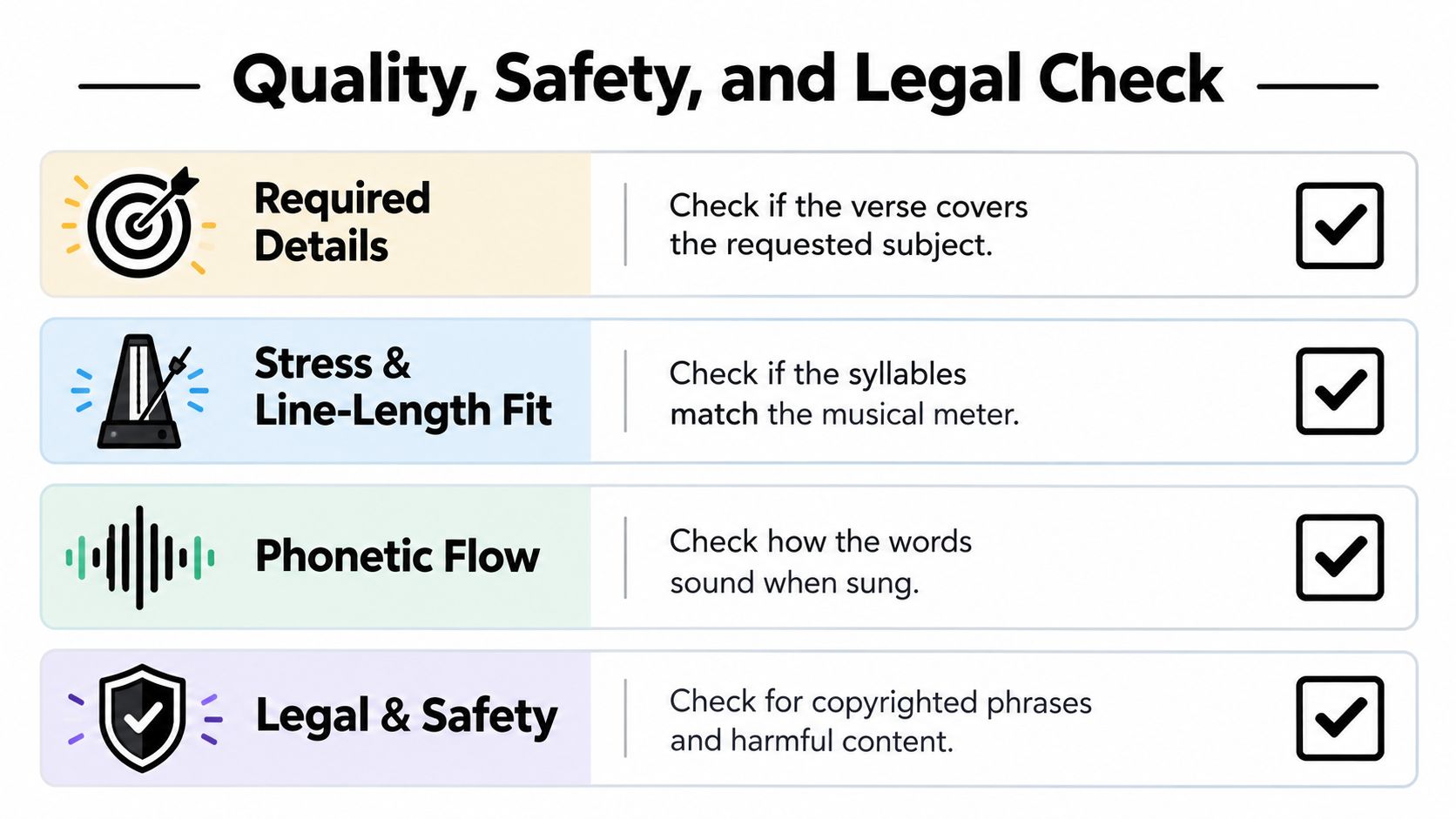 A checklist chart titled Quality, Safety, and Legal Check for evaluating lyrics with four specific review criteria.
Use these four checks before you keep a line:
- Required details: Did the verse include the name, keyword, or inside joke accurately?
- Stress and line length: Can you perform the line over the beat without cramming or dragging?
- Phonetic flow: Do the end and internal rhymes sound right aloud, rather than merely look similar on the page?
- Rhyme variety: Does the verse introduce fresh rhyme words, or keep leaning on the same sound and vocabulary?
Some questions no checklist can settle.
Is the punchline funny? Does the tone fit your relationship with the target? Does a line cross into harm? Personalization should never depend on threats, doxxing, discriminatory abuse, or allegations presented as fact. When a premise feels risky, switch to fictional characters, consensual friend-group jokes, or a self-roast. The song stays playful and nobody gets hurt.
Copyright sits in a different category from safety and taste. Under the U.S. Copyright Office's guidance on AI and copyright, purely AI-generated expression falls outside protection, while sufficiently creative human selection, arrangement, or modification can qualify. Feeding the model prompts alone doesn't clear that bar. Laws differ by jurisdiction, and copyright doesn't settle other risks either: defamation, privacy, publicity rights, and unauthorized imitation of someone's identity each carry their own consequences.
Keep your work: Save drafts and document meaningful changes. Rewriting punchlines, adding original lines, and shaping the arrangement help make your own creative contribution visible.
Publishing adds one more layer: disclosure. Some platforms flag or label AI-generated text, and those signals estimate the likelihood of machine authorship rather than prove legal ownership. Simple Unmark explains text watermark signals and what they can and cannot tell you. For the release side, this guide to publishing a song written with AI walks through the copyright questions worth answering before you share a track.
Build Better Lyrics With a Human Workflow
A generator gives you options. A songwriter turns those options into a lyric that fits the beat, carries a point of view, and feels worth sharing. Use a simple loop that keeps you in control:
- Write a one-sentence objective. Name the subject, audience, and emotional direction.
- Set the structure. Decide on the sections, rhyme approach, and performance feel before asking for a full draft.
- Generate and compare. Review several versions, then keep only the lines that offer a useful idea, image, or sound.
- Edit for your voice. Add specific details, rewrite generic phrases, and remove lines that exist only to complete a rhyme.
- Perform it aloud. Test the lyrics over the beat, then adjust stresses and line lengths where your mouth trips.
- Document your contribution. Keep drafts and meaningful edits, especially if you plan to publish or monetize the work.
A reusable prompt might read: “Write a [tone] [section] for [audience] about [specific subject]. Use [rhyme or flow controls], include [required detail], avoid [boundaries], and keep the language [voice description]. Give me several options so I can edit and perform the strongest lines.”
Finally, separate authorship from other permissions and platform rules. A meaningful edit history can show how you shaped the words, but it doesn't automatically settle every legal or disclosure question. Treat the generated draft as material to transform, not a finished lyric to publish without review.
The generator should widen your choices. You decide which words deserve to survive.
Use DissTrack AI to turn a roast idea, inside joke, or battle-rap concept into structured lyric variations you can review and edit. Start with a clear prompt, listen for lines that fit your flow, and visit DissTrack AI to try your next draft.