DissTrack AI Privacy and Security Settings Explained
You've got the perfect diss concept typed into DissTrack AI. The target's name is in the prompt, the inside joke lands beautifully, and your finger is hovering over Generate. Then a less entertaining thought appears: can the target ever find this prompt, will the draft sit in a log forever, and could a screenshot leak before the track does?
That pause is useful. Privacy and security settings aren't legal wallpaper tucked behind a tiny footer. They're creative-tool permissions that decide who can access your raw idea, how long your drafts remain available, and how easily an output can travel beyond your control. The same principle applies whether you're making a playful roast for friends, a battle-rap demo, or content for a public channel.
The Moment You Almost Hit Generate and Hesitate
The cursor blinks beneath a line that would be hilarious in the right room and awkward everywhere else. You've included details only your group understands, maybe a nickname, a breakup reference, or the one story nobody wants repeated outside the chat. The lyrics haven't been generated yet, but the sensitive part already exists. It's sitting in a prompt field, waiting for a decision.
That's why privacy belongs at the moment of creation, not in a policy appendix you'll never revisit. Before you click, you need practical answers. Is the prompt saved? Does the generation appear in history? Can another person open the result with a link? Does deleting the visible draft also remove the account record behind it?
A useful way to think about this is creative control. You're not merely protecting “data,” a word so bland it could put a beat to sleep. You're protecting your premise, your punchlines, your target's context, and the timing of your release.
The practical question: Who can see this, who can access it, how long does it survive, and where can it go next?
Those four questions will carry you through every setting. They also prevent a common mistake, assuming that a private-looking output means the entire creation process is private. A polished verse may be hidden while the prompt, activity record, share link, or connected account remains exposed.
By the time you finish checking the controls, you should know what happens before, during, and after generation. Then you can hit Generate with your eyes open, which is much better than releasing a diss track and discovering that the draft had a longer memory than your group chat.
What Privacy and Security Settings Do
Your DissTrack AI account works like a lockbox. The prompt is the note you write, the account is the box, authentication is the key, and the company's database is the shelf holding it. A lock protects the box from casual access. It says nothing about who manages the shelf, how long the note stays inside, or whether someone made a copy.
Privacy and security settings assign permissions across the creative process. They govern your prompt fields, generation logs, account entry, and share controls. Treating every toggle as “account privacy” creates false confidence, because protecting the box does not automatically protect every note or copy.
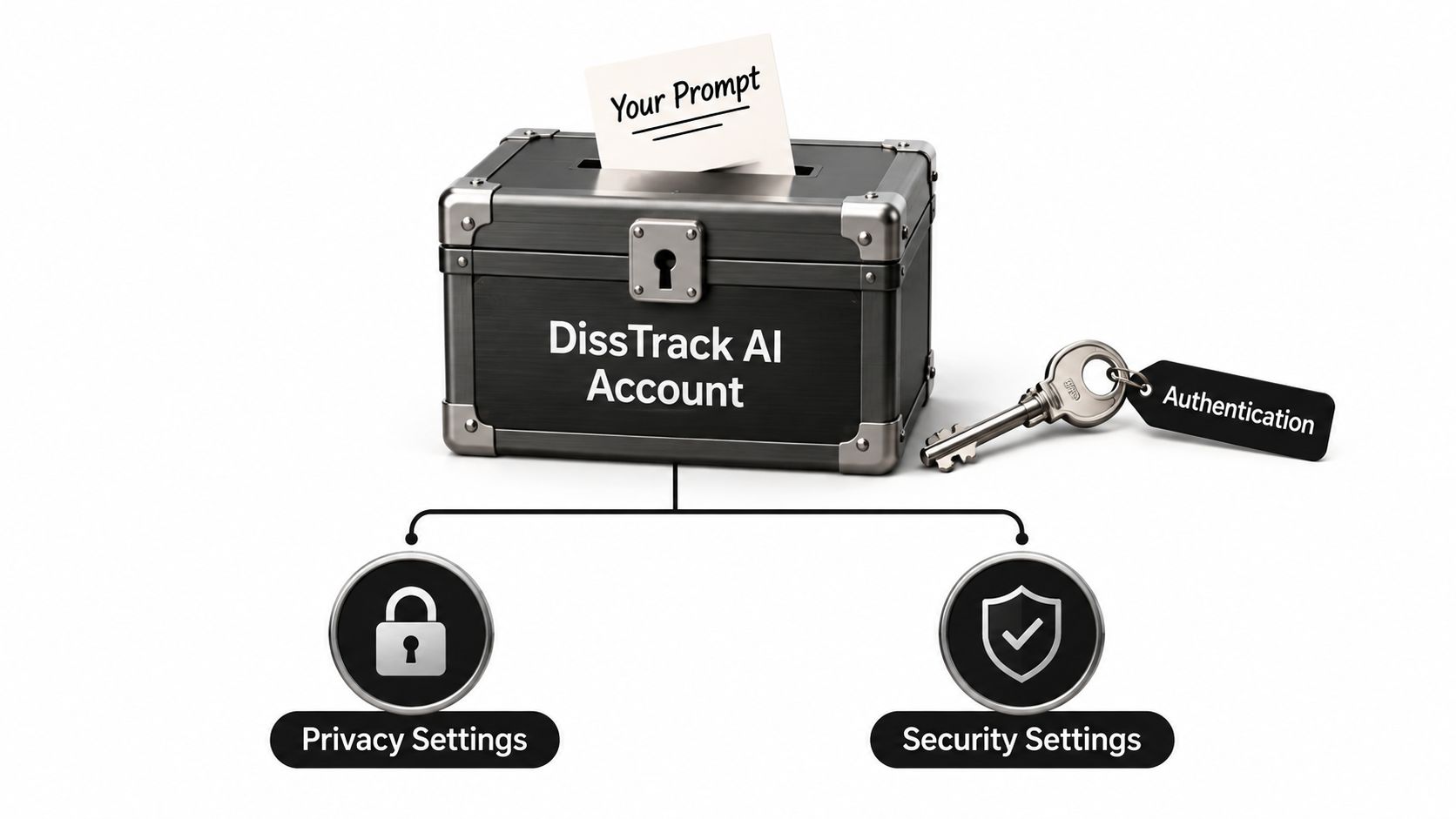 A secure metal box representing a DissTrack AI account, featuring privacy and security settings with authentication keys.
Visibility
Visibility identifies who can see what you create. A private generation should remain limited to your account unless you choose to share it. Public galleries, searchable pages, remix tools, and preview cards can widen the audience, even if you never publish the full lyrics yourself.
Access
Access identifies who can enter the account. A strong password, multi-factor authentication, and careful third-party login management protect the account itself. A private prompt offers little protection if another person can sign in as you.
Retention
Retention identifies how long information remains stored. A prompt may serve its purpose during lyric generation and become unnecessary afterward. Retention controls affect whether old prompts, outputs, and generation logs remain available in history, backups, or internal records.
Sharing
Sharing identifies how an output travels beyond the account. A download, screenshot, public post, or share link creates another copy. Removing the original does not recall copies saved elsewhere.
For a practical primer on how to protect your data from AI misuse, separate account protection from information handling. The AI diss track generator shows why these permissions matter during creation: a prompt can contain names, private context, or inside jokes that the finished verse barely reveals.
Every DissTrack AI Setting Explained
A setting is useful only when you know the problem it solves. Start with the controls that affect the content itself, then check the controls that protect the account carrying that content.
| Setting | What It Controls | Risk Reduced | Default |
|---|---|---|---|
| Prompt history storage | Whether prompts remain available in account history | Prompt exposure, unwanted reuse, screenshot leaks | Check the account control before entering sensitive material |
| Generation log retention | How long generated drafts and activity records remain stored | Old drafts remaining accessible or recoverable | Review the retention choice rather than assuming auto-delete |
| Public gallery visibility | Whether work can appear in a public discovery area | Strangers finding a roast or its context | Keep private unless you intentionally publish |
| Share-link expiration | How long a shared URL remains usable | A forgotten link circulating after release | Choose the shortest practical lifetime |
| Account authentication | How sign-in is verified | Unauthorized account access | Use the strongest available sign-in protection |
| Third-party login connections | Which outside services can access the account | Excessive access through connected accounts | Connect only services you actively need |
| Data export or deletion requests | Whether you can retrieve or ask for removal of account data | Losing control of stored history | Usually request-based, not an instant toggle |
Content controls
Prompt history storage is the raw-notebook setting. If it stays on, the exact wording may remain available for later editing, but anyone who gets into the account may also see the private setup behind the joke. If it's off, you may lose convenience, so decide whether creative continuity matters more than keeping the premise out of history.
Generation log retention concerns the record of what happened, not only the visible lyrics. A log can include timestamps, versions, and activity details. Default-on retention is convenient, but it creates more material to protect. Use auto-delete or the shortest available window for throwaway experiments.
Public gallery visibility is the difference between “I shared this with my friends” and “anyone can browse this.” Keep it private for personal roasts. If you publish, check whether the page exposes your prompt, username, remix details, or related versions.
Sharing and account controls
A share-link expiration setting limits the lifespan of a URL. It doesn't stop someone from downloading or screenshotting the roast while access works, so treat links as temporary doors, not disappearing ink.
For account protection, enable the strongest authentication option available, ideally multi-factor authentication. Review third-party login connections after using a social sign-in, and remove anything you no longer recognize or need.
Finally, data export and deletion requests are usually request-only actions. Exporting helps you understand what remains. Deleting one generation may not equal deleting the account, and deleting the account may involve a separate process. Check how these actions interact with history, links, backups, and analytics before assuming one click handles everything.
Recommended Configurations for Casual Creators and Pros
Not every creator needs the same privacy posture. A person making a joke for a group chat has different priorities from a brand preparing a campaign that needs records, approvals, and ownership documentation.
Use these presets as starting points, then adjust them for the sensitivity of your prompt and the audience for the finished track.
| Setting | Casual Creator | Active Creator | Commercial / Brand |
|---|---|---|---|
| Account visibility | Private | Private | Private workspace where available |
| Prompt logging | Off for sensitive jokes | On for revision work | On for documented workflows |
| Generation history retention | Shortest available or auto-delete | Keep useful project history | Retain according to business records needs |
| Public sharing | Off | Link-only, with expiration | Approved links only, with expiration |
| Training-data opt-out | On where available | On for unreleased concepts | Follow the organization's approved data policy |
| Download exports | Download only final versions | Export working variations | Export approved assets and ownership records |
Casual creator
Choose private-only outputs, minimal prompt history, and automatic deletion when the tool supports it. This setup suits a one-off roast where convenience matters less than making sure the joke doesn't linger. Download only the version you intend to use, and avoid sharing a permanent link when a direct file transfer is safer.
Active creator
Keep history enabled if you're refining verses, comparing flows, or building a recurring series. Lock sharing to link-only access, add an expiration date, and separate rough drafts from publishable exports. This posture gives you a usable creative archive without turning every experiment into public material.
Commercial or brand user
Commercial work often needs an audit trail. Retain approved prompts, versions, permissions, and exports according to your organization's rules, but restrict access to people who need it. Turn off public discovery, review connected accounts, and use the available training-data setting in line with the project's approved policy. Don't confuse a retained record with an open audience. You can preserve documentation while keeping the work private.
The key is consistency. A private account with a public share link is not private in practice, and a short retention window doesn't protect an output that has already been downloaded.
How DissTrack AI Stores and Retains Your Data
A roast usually follows a simple lifecycle, even if the interface makes it look like one magical button.
First, you type into the prompt field. The service receives the text needed to process the request. The generation engine then produces one or more outputs, and the account may record the event in a history or activity log. If you create a share link, the output gains another route outward. Later, you may delete the generation, clear history, export information, or request account deletion.
Follow the roast, not just the button
A prompt can contain names, personal stories, or commercially sensitive ideas. The generated lyrics may be less revealing than the original input, but the prompt remains part of the creation record if history or logging is enabled.
Account records can also include identifiers such as an email address, billing information, timestamps, and request-related technical details. Those records support account operation and security, but they're still information you should understand before using a tool for sensitive material.
A delete button is a request about a lifecycle, not a time machine.
Deleting a single generation typically addresses the visible item. Purging account data is broader and may require a separate request. Share links introduce another wrinkle: removing the original output may not instantly invalidate every link, cached preview, download, or screenshot. Backup copies and aggregated analytics may also follow separate retention rules, so read the service's current policy rather than treating manual deletion as universal erasure.
Retention choices deserve attention
Free and paid tiers can have different retention rules, but you shouldn't assume the cheaper plan automatically deletes faster or that a paid plan keeps everything forever. Check the actual terms attached to your account, especially if your workflow depends on a particular deletion window.
For questions about ownership and recordkeeping, creators may also find it useful to review how to copyright lyrics to a song. Privacy and ownership are different issues, but both become easier to manage when you preserve the right records and avoid retaining material you no longer need.
Why Smart Users Still Get Privacy Settings Wrong
“Just review your settings” sounds sensible, but it assumes the interface is a neutral teacher. It often isn't. A 2025 experimental study found that obstruction, interface interference, preselection, and confusion patterns could still push participants toward less protective choices, even when they were explicitly told to maximize privacy (Captain Compliance's discussion of the study).
The trap is rarely a dramatic warning. It's a buried opt-out, a double negative in training-data wording, or a friendly button that enables a broader share than you intended. A share link can outlive the generation you thought you removed, while “aggregated analytics” can sound harmless without explaining what remains identifiable or how long it's kept.
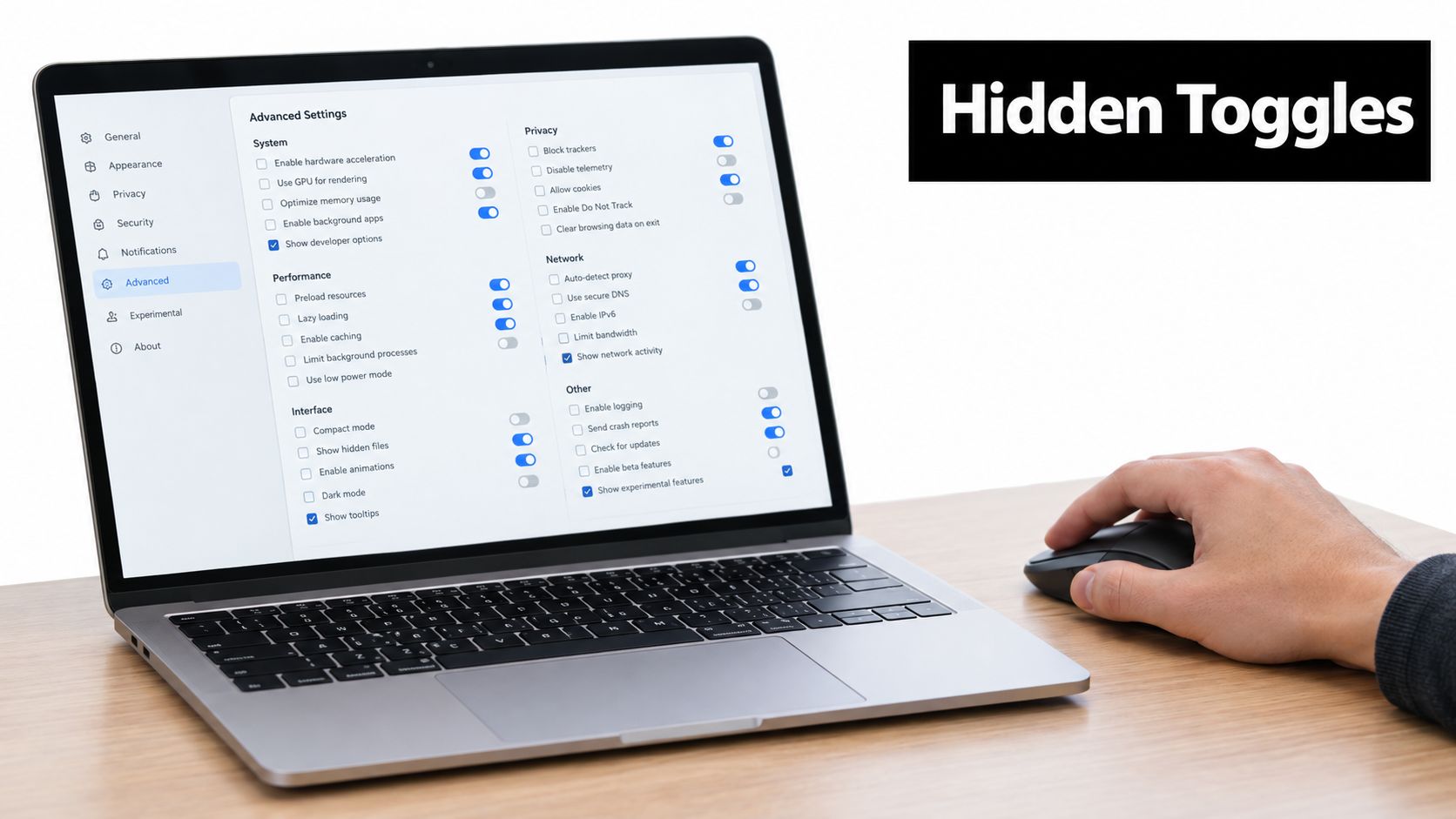 A close-up view of a laptop screen showing advanced privacy and security settings menu options.
Discoverability is part of security
People can't use a control they can't find. Research on smartphone privacy found that more than 60% of participants expected configuration to be easy, while many remained unaware of protections such as passcodes, two-factor authentication, password-reuse alerts, and voice-assistant recording controls (ACM study). The same source reports that 40% of phone users had never reviewed device privacy settings, and 23% had not checked app permissions for camera, contacts, or location access.
That pattern matters for creators using tools such as AI rap voice tools, where the prompt, voice material, output, and sharing workflow can each expose different information. Verify the final state, take a screenshot of important choices for your records, and test a share link from a private browser window. Trust is nice. Verification has better security properties.
Frequently Asked Questions About DissTrack AI Privacy
Are generated roasts used for model training?
Don't guess from a button label. Open the data-use control and look for the training-data opt-out. Turn it on for unreleased concepts or sensitive prompts, then confirm whether it applies only to new material and whether older content needs a separate request.
How do I permanently delete past generations?
Start by deleting the individual generations from history. Then check whether the account offers a broader export or deletion request, because clearing the visible list may not equal purging account records, backups, or aggregated analytics.
What happens if a shared roast link leaks?
Treat the link as compromised. Revoke it or let its expiration take effect, create a new private version if needed, and assume anyone who already downloaded or screenshotted the output still has a copy. A link setting controls access to the hosted item, not every copy made while the link worked.
Is the tool safe for commercial roasts aimed at public figures?
It can fit a commercial workflow when you keep prompts and outputs private, restrict account access, document approvals, and export the final assets. Don't include confidential campaign details unless the service's data terms and your organization's policy allow it. Public-figure subject matter doesn't remove your responsibility to manage private inputs, licensing, defamation risks, or access controls.
Your Privacy and Security Routine Going Forward
Privacy maintenance works better as a small production ritual than as an annual panic attack. Before generating, ask whether the prompt contains personal, confidential, or unreleased information. Confirm the output is private, check whether history is enabled, and avoid placing sensitive details in a prompt because the tool accepts them.
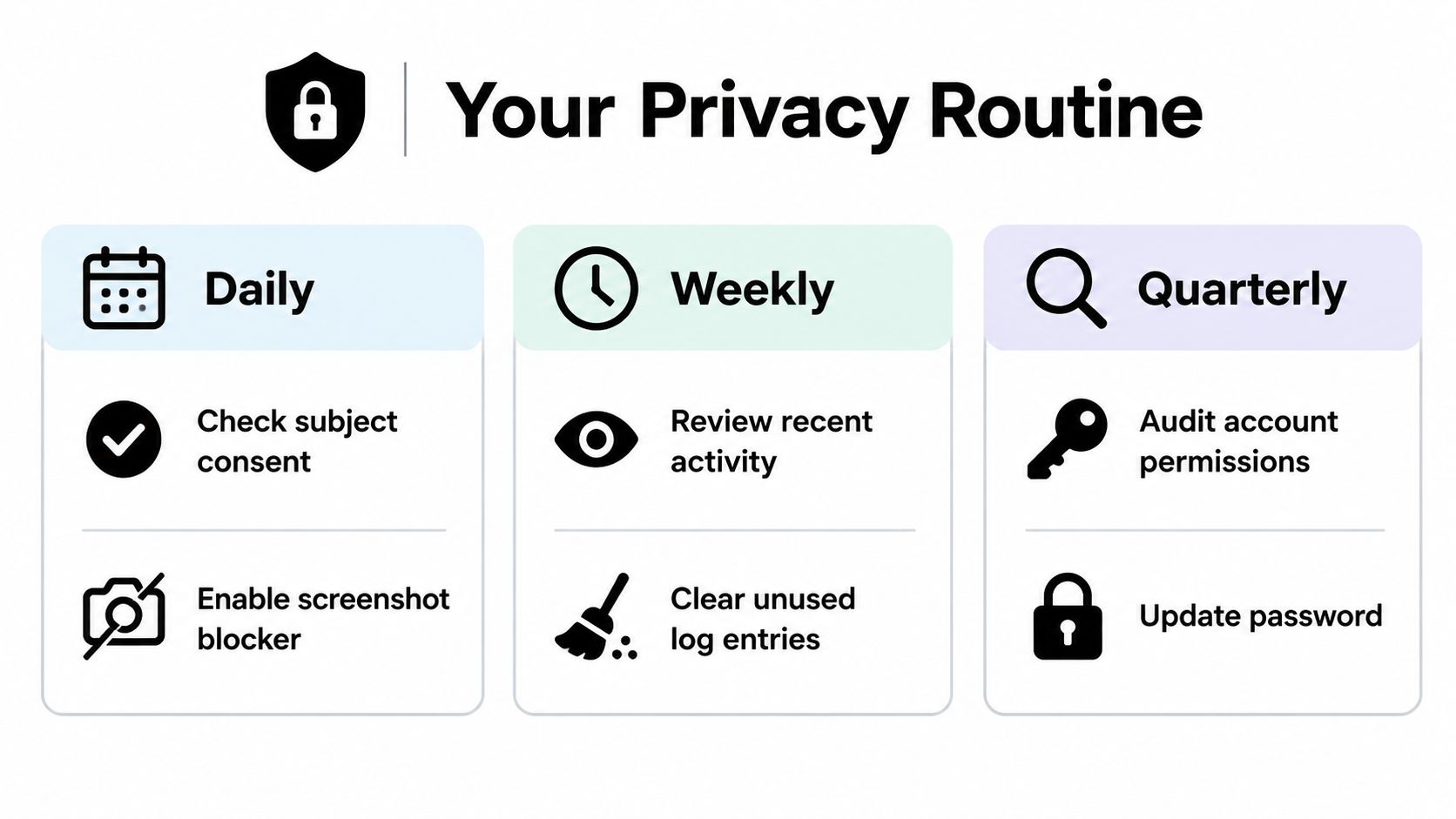 An infographic titled Your Privacy Routine showing a schedule of daily, weekly, and quarterly digital security tasks.
Daily
- Check subject consent: Make sure the roast fits the intended audience and doesn't expose private information someone reasonably expected you to keep private.
- Review before generating: Confirm prompt logging, training-data preferences, and output visibility before you enter the good stuff.
- Block casual exposure: Keep sensitive drafts off shared screens, public galleries, and open browser tabs.
Weekly
- Prune recent history: Delete unused prompts and generations instead of letting an archive become a gossip vault.
- Audit share links: Revoke links that have served their purpose and check whether active links still point to the correct version.
- Review account activity: Look for unfamiliar sessions, connected services, or sign-in events.
Quarterly
- Audit permissions: Review authentication methods, third-party connections, visibility settings, and retention choices.
- Export or delete deliberately: Export records you need for a project, then remove drafts and account data you no longer need.
- Check policy changes: Re-read the current privacy terms and confirm that the settings still match your workflow.
The wider lesson is clear. A 2023 Pew Research study found that about 68% of U.S. social media users had changed privacy settings, while 56% of Americans often clicked “agree” without reading privacy policies, and 61% said privacy policies weren't very effective at explaining data use (Pew findings summarized here). Settings only help when people can find them and understand what they change. Australia's 2026 privacy survey found that 93% of respondents believed settings should be most protective by default (survey reference), an expectation creators can apply to every creative tool they use.
Privacy isn't a chore stapled to the end of your workflow. It's part of the craft, right beside choosing the beat, tightening the punchline, and deciding when the track is ready.
DissTrack AI lets creators generate personalized roast lyrics, refine variations, and keep generations private until they choose to share them. Visit DissTrack AI to make your next track while treating prompts, histories, exports, and share links as creative permissions you control.