YouTube Shorts Optimization: The 2026 Playbook for Creators
You post the Short, refresh YouTube Studio, and watch the line fall off a cliff before the beat even drops. The edit looked clean, the vocal was sharp, and the punchline hit hard in your headphones. On the feed, though, viewers never reached it. They swiped before the setup finished.
That's the battlefield for YouTube Shorts optimization. Shorts became a major discovery surface after the 2021 rollout, scaling from an early daily-view benchmark of about 15 billion views at launch to more than 70 billion daily views by 2024, as documented by HubSpot's video marketing statistics. That reach is enormous, but it doesn't reward slow warmups. It rewards a clear first frame, fast tension, readable visuals, and a payoff worth replaying.
Why Your Shorts Die in Three Seconds
Your diss-track Short can die before the first bar lands. You record the verse, color-grade the footage, cut every transition to the kick, and save the sharpest insult for the ending. In the feed, viewers get a logo, a head nod, and “wait for it.” Then they swipe. The best line never enters the fight.
Shorts distribution is a rapid audition. The opening frames must work for people who do not know your name, feud, or setup. Treat them as a survival test, not an introduction. A clean grade and tight lip-sync cannot compensate for a first beat that gives viewers no reason to stay.
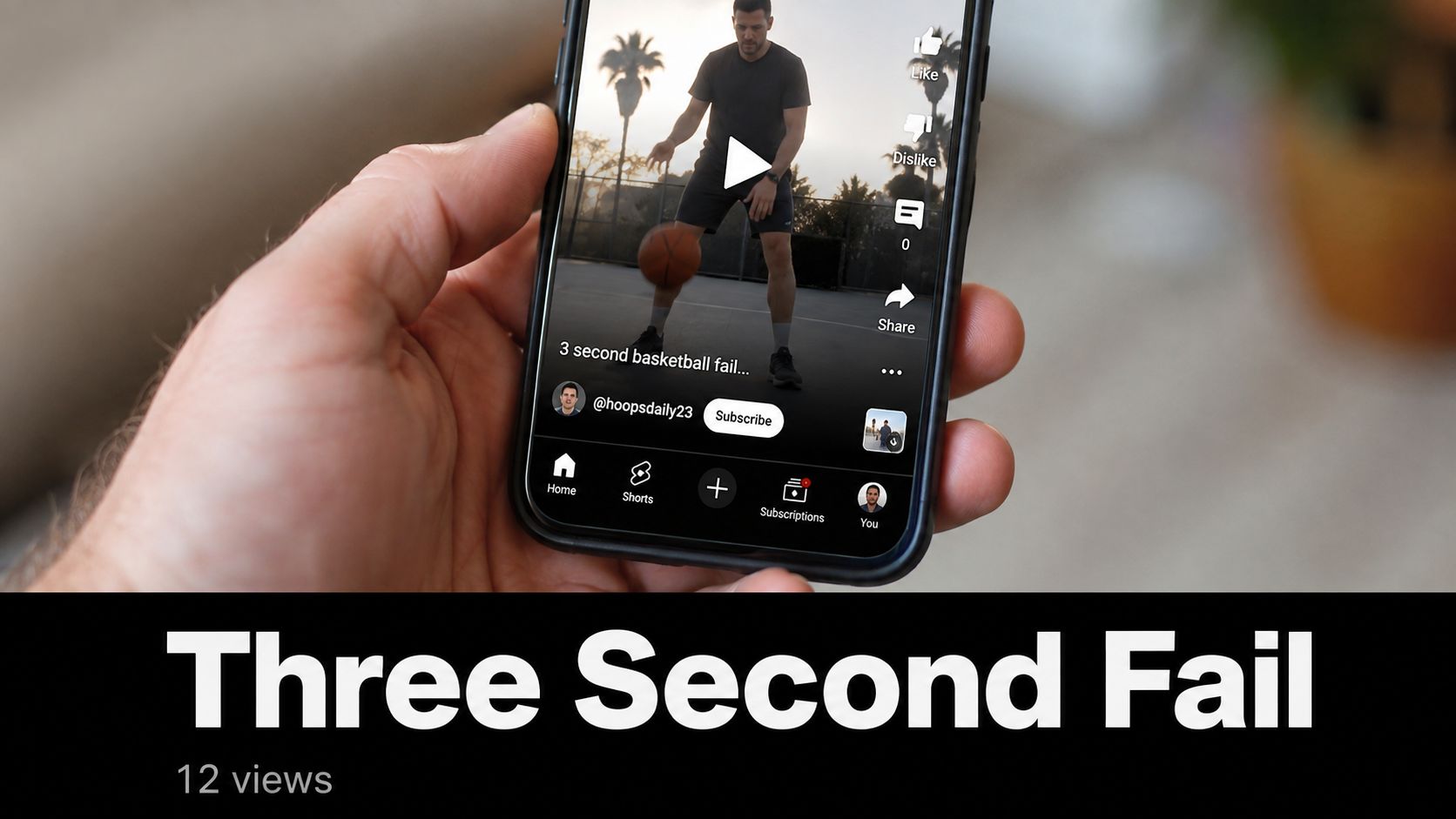 A close up view of a hand holding a smartphone displaying a YouTube Shorts video about basketball.
The opening is a filter
The first three seconds answer one question: “Why should I stay?” A slow push-in, channel logo, or “hey guys” lead-in offers no immediate reward. An accusation, reaction, visual gag, or lyrical threat does.
Compare these roast openings:
- “Today I'm going to talk about my friend…”
- “He bought designer shoes and still walks like a lost NPC.”
The second line establishes a target, conflict, and comic image in one breath. It also survives mute playback when the first frame carries three to six words of on-screen text. Keep the text readable, but do not let it replace the performance. A punchline that appears before the bar can flatten the tension, while text that arrives late leaves the viewer guessing. Independent Shorts retention guidance supports treating the opening visual as part of the hook.
Practical rule: If the topic disappears when sound is muted, rebuild the first frame.
Diss-track clips have an extra retention variable. Lip-sync overlays need to show the mouth, lyric, and beat relationship quickly. If the overlay hides the expression, the viewer loses the performance. If the beat takes too long to reveal its switch, the promised payoff feels imaginary. Test the first cut with audio on and off, then move the clearest threat or reaction earlier.
Raw views can mislead you
Measurement changed on March 31, 2025, when a view began counting as soon as a Short starts to play or replay. YouTube tracks the older behavior separately as engaged views, as explained in this Shorts retention analysis. A rising view count can therefore include replay activity without proving that new viewers watched fully.
Read the surrounding feed signals. Shown in feed indicates presentation. How many chose to view indicates whether the opening converted that presentation into a watch. Retention shows whether the verse earned the remaining attention. For premise development before recording, YouTube Shorts ideation tips can help sharpen a broad roast into a specific setup.
The working rule is blunt: lead with conflict, show the reward, and make every later bar pay rent.
Planning Hooks and Concepts That Earn the Swipe
Great Shorts usually get decided before the camera opens. Start with the viewer's reward, then build the clip backward. If the reward is a savage punchline, don't spend the opening explaining the feud. Put the feud in the frame and let the verse escalate.
A diss-track concept needs three ingredients:
- A recognizable target or tension. Name the archetype, relationship, behavior, or problem. “My roommate says he can rap” gives the viewer a social situation they understand instantly.
- A specific promise. Tell viewers what they'll receive, such as the final bar, the beat switch, or the reaction.
- A visible payoff. Plan the facial reaction, lyric reveal, text punchline, or cutaway before recording.
Build the first frame like a thumbnail
The first frame has to work on mute. Use bold, high-contrast text with about three to six words, then pair it with motion or a visual interruption in the first one to two seconds, following the format recommendations in this Shorts retention benchmark guide.
Examples for battle-rap creators:
- “He Asked For Smoke”, with the target's blurred profile entering frame.
- “Worst Freestyle In The Group”, followed by an instant reaction shot.
- “Your Ex Heard This”, with the first lyric appearing on the beat.
- “Beat Switch, Career Over”, then a hard cut into the second flow.
Don't cram a full sentence onto the screen. The text should establish the lane, while your voice and visuals supply the detail.
Write a compact hook, escalation, and payoff
For a short verse, draft the structure before polishing rhyme schemes. A hook establishes the insult or question. The escalation adds a second angle, often with a visual or beat change. The payoff lands the sharpest line, reaction, or reversal.
Example:
- Hook: “He calls himself the king of the block.”
- Escalation: “But his crown came from a vending machine.”
- Payoff: “Even the chips got more flavor in the plot.”
That structure doesn't require a long setup. It creates a sequence of open loops, each one pushing the viewer toward the next beat. For creators who want drafting support before rewriting in their own voice, an AI YouTube Shorts script generator can help produce alternate premises and hook variations. Treat those outputs as rough ammunition, not finished lyrics.
Test the opening, not the whole identity
Create two near-identical versions with only the first line, first frame, or opening action changed. Keep the beat, target, camera angle, and payoff consistent enough that you can identify what caused the difference. Expert guidance recommends comparing the first two to three seconds, especially Viewed vs. Swiped Away and the retention curve at the three-second mark, with strong Shorts often keeping about 70% or more of viewers past that point and top performers frequently reaching the 70% to 90% range in that signal. The same guidance places under 60% in a danger zone for distribution, as detailed in this opening-hook analysis.
| Hook Type | What It Leads With | Best For |
|---|---|---|
| Target-first | The person, habit, or behavior being roasted | Personal diss clips and reaction content |
| Punchline-first | The sharpest bar before the setup | Fast comedy and replayable one-liners |
| Visual-first | A prop, expression, or sudden movement | Mute viewers and performance-led Shorts |
| Question-first | A challenge the verse answers | Debate prompts and comment-driven battles |
Shoot and Edit Techniques That Hold Retention
A strong hook can still bleed viewers if the middle looks like one unbroken security-camera angle. Diss tracks need space for flow, but space doesn't mean visual stillness. Every beat should either advance the story, sharpen the insult, or refresh the viewer's attention.
Independent format guidance recommends a fresh visual or audio change every two to three seconds. That doesn't mean throwing an effect on every cut. It means changing something meaningful, such as the camera angle, caption treatment, crop, background, gesture, vocal layer, or beat texture.
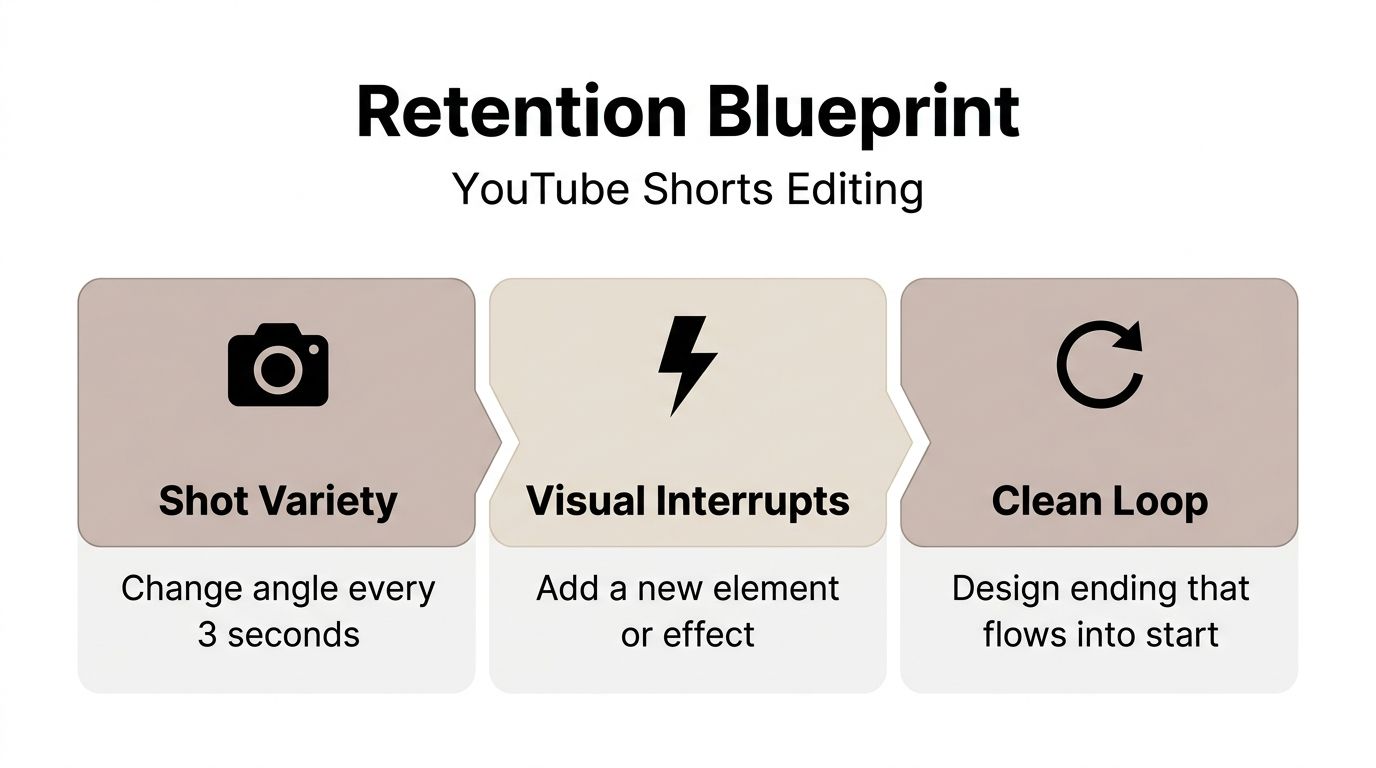 An infographic titled Retention Blueprint for YouTube Shorts editing, showing three key steps for engagement.
Cut on meaning, not just rhythm
Beat-synced editing looks satisfying, but a cut that lands on a kick isn't automatically useful. Cut when the lyric changes the viewer's understanding.
A practical diss-track sequence might look like this:
- Tight face shot for the opening accusation.
- Quick crop or angle shift when the target is named.
- Lip-sync overlay when the internal rhyme begins.
- Reaction insert on the setup bar.
- Beat switch or caption hit on the punchline.
- Return to the opening composition for the loop.
Use jump cuts to remove breathing room between ideas, not to create random motion. If a bar needs a fraction of silence before the punchline, keep that silence. The goal isn't maximum speed. The goal is controlled pressure.
Make captions part of the performance
Captions should reinforce the bar without covering the mouth, eyes, or important props. Use one dominant phrase at a time, highlight the key word with a color change, and keep the text large enough to read on a small screen. Sticker-style labels work well for targets and reactions, but too many labels turn the frame into visual static.
Lip-sync overlays deserve special care. Align the mouth movement, vocal attack, and caption arrival. If the text appears before the word, the viewer reads the punchline early. If it arrives too late, the visual loses its connection to the flow.
The cleanest edit doesn't show every clever thing you did. It hides the seams and leaves the punchline exposed.
Build the loop while cutting the opening
A loop works when the ending naturally creates a reason to experience the beginning again. You can end on the same facial expression, return to the opening lyric, or cut the final syllable into the first drum hit. Don't force a loop onto a story that already feels complete. A replay should feel like a continuation, not a glitch.
For solo creators, use the editor that lets you make these decisions quickly. Fancy effects rarely fix a weak structure. A fast mobile workflow, clean caption presets, beat markers, and reusable crop patterns usually save more time than collecting another transition pack. If you edit on an iPhone, this guide to an audio editor for iPhone offers a relevant workflow reference.
The practical checklist is short:
- Hook visible in the first frame.
- New visual or audio information every few seconds.
- Captions aligned to the vocal.
- Dead air removed unless it creates tension.
- Punchline given a clean visual landing.
- Ending tested against the opening for a natural loop.
Here's a visual example of how a finished vertical edit can be structured:
Metadata That Gets Your Short Discovered
Metadata won't save a boring clip, but weak metadata can make a strong clip harder to understand. Treat the title, description, hashtags, and on-screen text as one system. Each element should clarify the same topic from a different angle.
Start with the title. Don't copy the first-frame text word for word. If the frame says “He Asked For Smoke,” the title can add search context with “Battle Rap Diss Track For The Friend Who Talks Too Much.” The frame earns attention, while the title tells YouTube and the viewer what kind of content they're seeing.
Write descriptions for humans first
A concise description can mention the subject, format, and relevant phrase naturally. For a roast Short, write something like: “A battle-rap diss track for the friend who talks like a champion and freestyles like a loading screen. Watch the final punchline and tell me whether the beat switch was necessary.”
That gives the upload topical context without stuffing the same keyword repeatedly. Add a direct interaction prompt when it fits, such as asking viewers to choose the stronger bar or nominate the next fictional target.
Use a focused hashtag set rather than a tag dump. Guidance for Shorts SEO commonly recommends three to five relevant hashtags, with the tags matching the actual subject instead of chasing unrelated trends, as outlined in this YouTube Shorts SEO guide.
| Tier | Example Tags | Purpose |
|---|---|---|
| Format | #Shorts, #MusicShorts | Identifies the content format |
| Niche | #DissTrack, #BattleRap, #RapShorts | Reaches viewers interested in the genre |
| Style | #Drill, #UKGrime, #BoomBap | Signals the musical lane |
| Conversation | #Roast, #Freestyle, #RapBattle | Connects with the premise and audience |
Keep text readable and strategically placed
On-screen text isn't a substitute for captions. Use it to establish the premise or emphasize the claim that makes someone stop scrolling. Keep important words away from the interface edges, especially the lower area where platform controls can compete with your message.
A bold opening claim might read “He Lost The Battle Before The Beat” while the vocal begins with a specific reason. The title can name the genre and scenario, and the description can add context. Those layers support one another instead of repeating.
Thumbnails still matter outside the feed. Channel pages, search surfaces, and recommendation placements may show a cover frame, so choose an image with a clear face, readable expression, and one dominant idea. Avoid shrinking an entire lyric sheet into the thumbnail. One emotional image beats a paragraph nobody can read.
Metadata should explain the joke, not spoil the joke.
Review the upload before publishing. Ask whether the title matches the actual verse, whether the hashtags describe the clip, and whether the first-frame text makes sense with no audio. If those pieces disagree, viewers may arrive with the wrong expectation and leave before your best bar.
Posting Cadence and Distribution That Compound
Consistency matters, but a posting schedule that burns through your best material isn't a strategy. For most small creators, a sustainable rhythm of three to five Shorts a week is a practical operating range, not a platform guarantee. It gives you enough repetition to learn while leaving time to write, record, edit, and review.
Choose a cadence you can maintain during an ordinary week. A rapper who can reliably finish three sharp clips will usually build more useful feedback than a creator who posts a flood of rushed drafts and disappears afterward.
Build a repeatable release rhythm
Use YouTube Studio to identify when your audience is active, then test different upload windows rather than treating one “best time” as permanent law. Early traction can help you collect feedback, but the clip still needs to hold attention once the feed expands beyond familiar viewers.
A simple weekly rhythm might look like this:
- Concept day: Write several premises around one target archetype.
- Recording day: Capture multiple performances, reactions, and alternate hooks.
- Editing day: Produce the strongest versions first, then cut variants.
- Review day: Check the opening signals and mark the next rewrite.
Batching works especially well for diss-track creators because one recording session contains more material than one upload. A freestyle can become a target reveal, a punchline close-up, a beat-switch reaction, a lyric breakdown, and a comment-response clip. Each version needs a distinct reason to watch, not just a different crop.
Redistribute without making every platform identical
Post the clean master to YouTube Shorts, then adapt the framing and caption style for TikTok and Instagram Reels. Remove platform-specific watermarks where possible, but don't assume identical performance across feeds. Each platform has different viewer habits and discovery surfaces, so use the same core idea while adjusting the opening text and caption density.
Pin a comment that extends the conversation. For example: “Which bar wins, the vending-machine crown or the loading-screen freestyle?” That question gives viewers two concrete options and makes the comment section part of the bit.
Playlists can organize related clips into a world, such as Office Roasts, Fake Rapper Auditions, or Beat Switch Battles. Community posts can tease an upcoming drop with a censored lyric or a choice between two hooks. If you're turning longer performances into a sequence, resources on how to boost YouTube engagement with timestamps can help organize the supporting long-form experience.
Use related-video features when a Short points toward a full freestyle, studio session, or complete diss track. A cliffhanger works best when the next destination delivers the missing verse. For broader repurposing ideas, this guide on how to go viral on social media provides another planning reference, but the principle stays the same: distribute a clear story, not a pile of duplicate exports.
Reading the 2026 Analytics Without Fooling Yourself
“Shorter is always better” sounds useful because short clips are easier to finish. It becomes bad advice when creators cut the setup, context, and payoff out of a concept that needs room to breathe.
Recent 2026 commentary places average Shorts watch time near 16 seconds while describing 30 to 45 second Shorts as a potential sweet spot in some market analyses, according to Metricool's Shorts algorithm commentary. The apparent contradiction is the lesson. A longer Short can outperform an ultra-short clip when the added seconds create escalation, completion, loopability, or stronger viewer satisfaction.
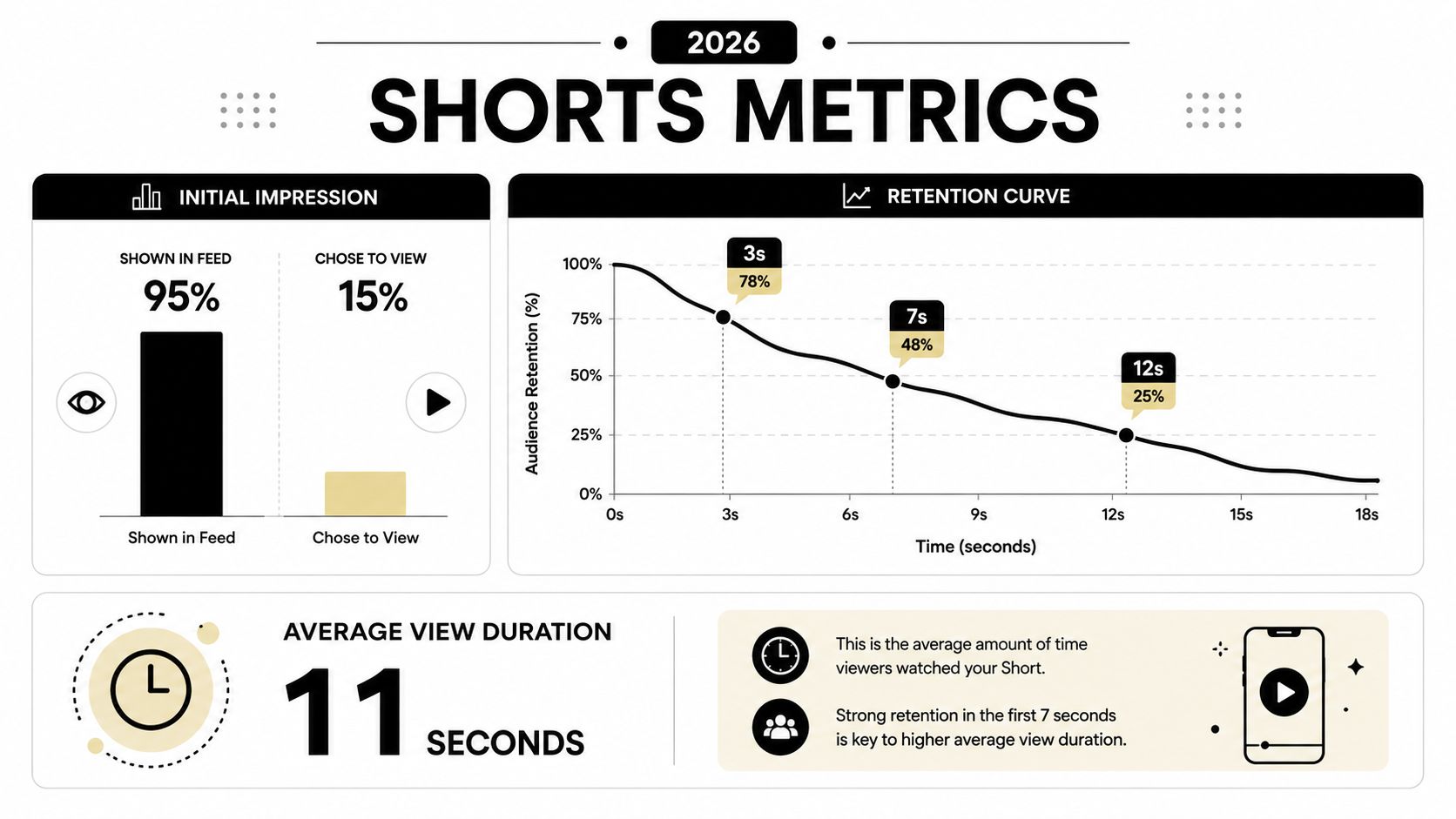 A performance metrics dashboard infographic for YouTube Shorts showing audience retention curves and view duration statistics.
Diagnose the feed before blaming the verse
Start with Shown in feed. If that number is weak, the issue may involve audience fit, topic clarity, or early distribution rather than the punchline itself. Next, check How many chose to view. A low choice rate points toward the first frame, opening claim, or visual legibility.
Then inspect the retention curve:
- At three seconds: Did the hook earn the next beat?
- At seven seconds: Did the escalation add information or merely repeat the premise?
- At fifteen seconds: Is the viewer approaching the payoff, or has the clip already spent its strongest material?
The exact timing points are diagnostic checkpoints, not universal pass marks. A ten-second punchline clip and a longer narrative diss need different shapes.
Separate attention from replay inflation
Because views now count when a Short starts or replays, raw views can rise for reasons that don't tell you whether fresh viewers stayed. Compare raw views with engaged views, retention, and feed-choice behavior. A replay-heavy one-liner may have a smaller unique audience but stronger repeat value, while a longer story may show fewer immediate replays and better completion.
The 2026 discussion also places some estimates of Shorts above 200 billion daily views worldwide and around 8% to 10% of YouTube's total watch time, but these are estimates cited in commentary rather than a universal platform dashboard figure, so use them as strategic context rather than a personal benchmark. The scale explains why small retention decisions matter, not what your next upload is guaranteed to earn.
Use a ten-minute review
Give every upload a short audit:
- Note the feed exposure and choice behavior.
- Mark the first major retention dip.
- Identify the exact frame, lyric, or caption at that moment.
- Compare the dip with the beat structure.
- Rewrite one variable for the next version.
Don't delete a clip just because it underperformed quickly. Archive the lesson. A weak opening with a strong middle is a hook problem. Strong opening behavior followed by a sharp mid-clip drop is usually an escalation or edit problem. A steady curve with weak completion may mean the payoff arrived too late or didn't justify the promise.
Music, Rights, and the Diss-Track Creator's Playbook
A killer bar can still create a publishing headache if the beat, sample, vocal, or cover isn't cleared for the way you're using it. Choose music with usage terms you can verify. YouTube's Audio Library can be a practical starting point, while licensed catalogs may offer a wider sound palette. Save the license details with the project file instead of trusting your memory.
Samples deserve separate scrutiny. A beat that sounds “free” in a creator marketplace may carry restrictions on commercial use, redistribution, or platform monetization. Covers, parodies, and diss content that reinterprets source material can also raise rights questions, so describe the work accurately and keep documentation for every element you didn't create yourself. This Creative Commons music guide is a useful reference when you're evaluating alternatives.
Turn writing into a testing loop
Draft multiple hooks before recording. Try one target-first version, one punchline-first version, and one version built around a beat switch. For creators who struggle with blank-page syndrome, an AI writing workflow can generate alternate rhyme directions and roast premises, but the artist still needs to check tone, accuracy, originality, and whether the line works aloud.
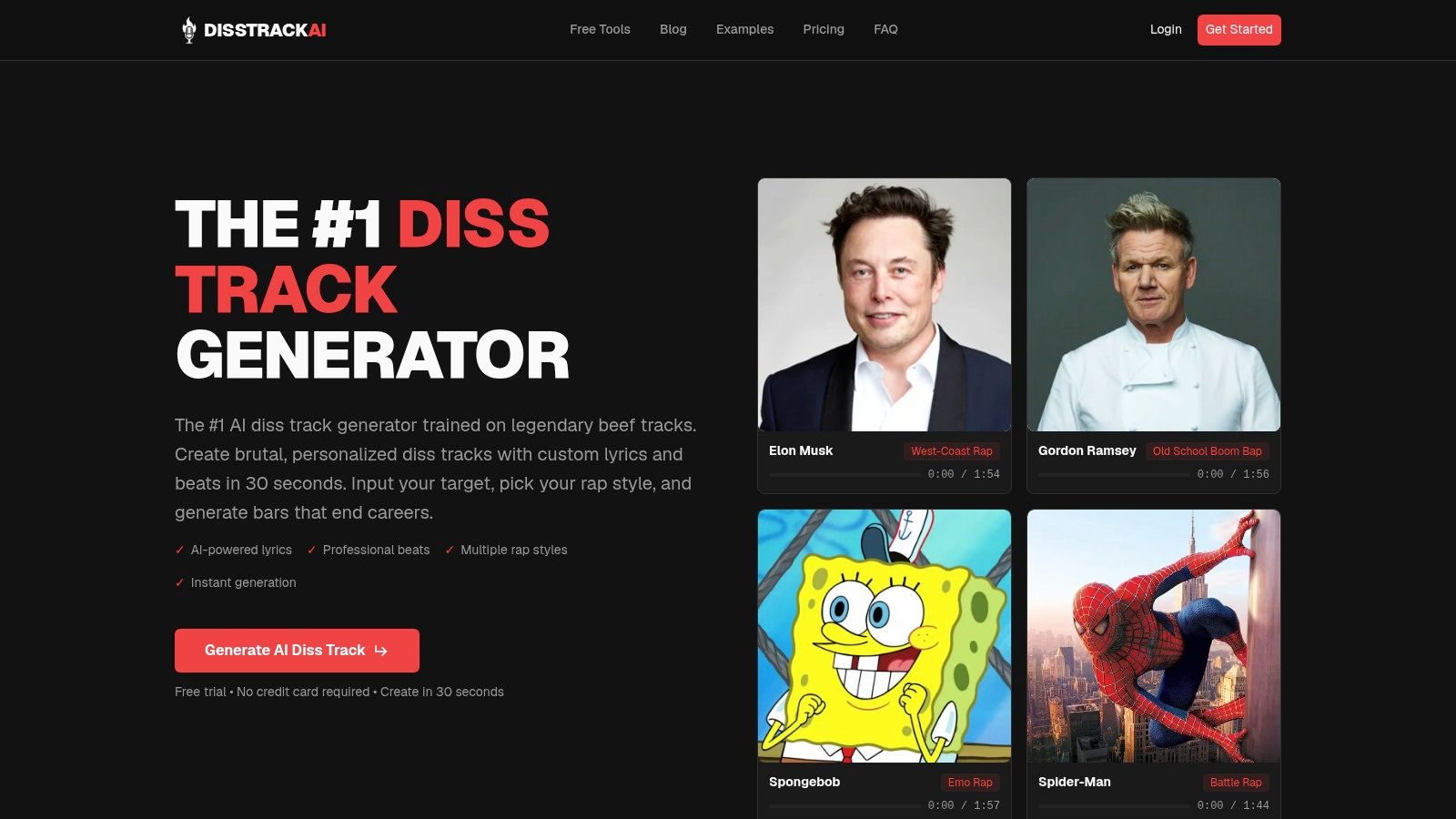 Screenshot from https://aidisstrackgenerator.com
Before publishing, run this checklist:
- Rights: Confirm the beat, sample, vocal, and visual assets.
- Hook: Put the conflict or reward in the opening frame.
- Performance: Record alternate deliveries, not just alternate words.
- Edit: Refresh the visual language without burying the bar.
- Metadata: Align the title, description, hashtags, and captions.
- Analytics: Review feed choice, retention, and engaged views.
- Iteration: Change one major variable and test again.
Optimization isn't a finish line. It's the loop between the bar you wrote, the clip you shipped, and the moment viewers decided whether you earned another second.
DissTrack AI helps you generate personalized roast lyrics, alternate punchlines, and style-specific verses for battle-rap Shorts, so you can test more hooks before the camera rolls. Visit DissTrack AI to build sharper concepts, stress-test your opening bars, and turn the next recording session into a stack of clips worth watching.